
Release Notes (01/07/2026)
Release NotesPOS:
Orders:
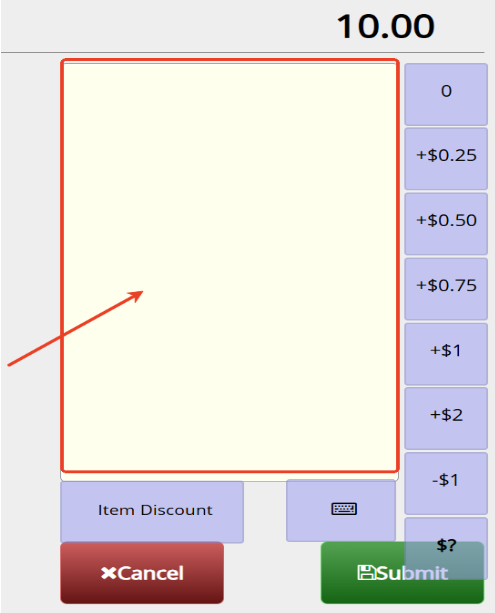
- New Settings Added to control functions at cart page:
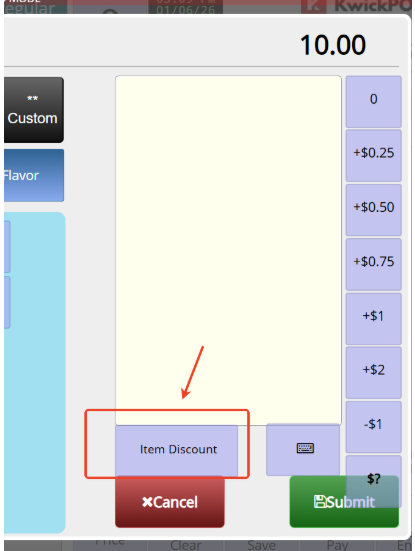
2. Setup > Orders > Cart > Restrict Special Request Input in Yellow Area: Prevents users from entering custom special requests in the yellow input area.
- In the previous version, voiding an order from a previous day could reopen the order and leave it open if the void failed. This has been fixed; in the new version, if a payment void fails, the order will remain paid. [Ticket #250625]
- In the previous version, when removing weight/lb items from an order, the order note showed the original amount instead of the actual removed amount (e.g., removing 2 lb of meat for $50 showed $0). This has been fixed in the new version.
Print:
- In the old version, If the order was partially paid with a gift card, and this store enabled the surcharge, then the merchant reprint the customer receipt, the printed credit fee would be incorrect. This has been fixed in the new version. [Ticket #246456]
- In the previous version, if a user’s clock in time is before 12am and clockout time is after 12am but still in the same shift, clock out print would not print record. This bug has been fixed. [Ticket #245514]
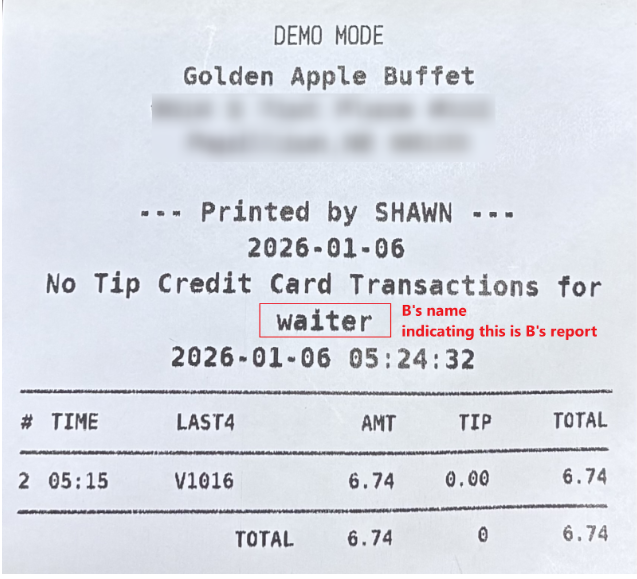
- In the new version, when user A is logged in, but user B enters the credit page and prints B’s credit report, the printed report will have B’s name on it. [Ticket #250533]
Payment:
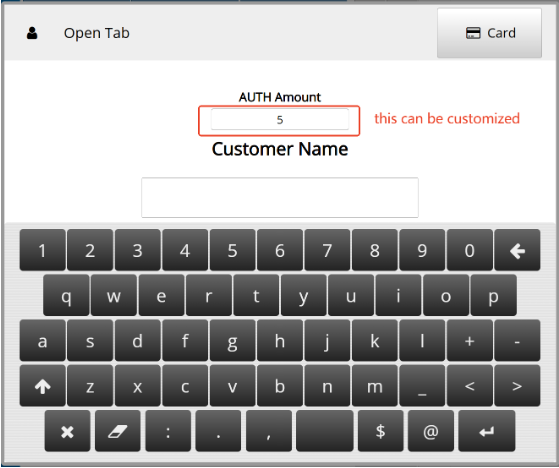
- In the new version, we allow you to put a customized pre-auth amount while doing the pre-auth order, merchants can enable it at Advanced > System > Next to Auth Amount, Custom.
- In the new version, we fixed an issue where using the second screen and CreditDebit Button payment would cause the Surcharge fee display not to be removed and the ticket not to close. [Ticket #252074]
Report:
- In this version, we added New Backoffice > report > Onbook report to allow the merchant view, filter, export on book order in details. [Ticket #243843]
- In the new version, we add a new switch at Setup -> Report format -> daily all user report will not show to manager by default, after enabling this, managers can not see the summary report for all users, they can only view each user’s user report individually.[Ticket #246110]
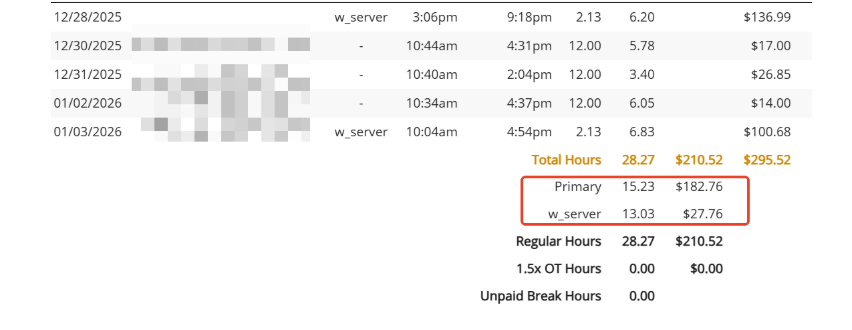
- In the new version, the new Clock-in report will show each role's total hour if user have multiple roles.
- In the new version, all cash gratuities can be retained and displayed as unpaid tips in the user report. This can be configured at System > General > Cash Tip Unpaid.
Other:
- In the old version, the Deleted driver will still show on the map page with the ”Name.Del”. It has been fixed in the new version.[Ticket #243841]
- In the old version, swiping the gift card slowly on the payment page would cause the cash payment close page to pop up. It has been fixed in the new version.
- In the new version, we have a new switch at advanced > rules&credit card > custom price, it allows merchants to quickly add an open item with customized price to cart.
- In the old version, on Android devices, search for an address for Delivery by using virtual keyboard, the suggested addresses will only appear after you use the backspace, this has been fixed in the new version.[Ticket #247037]
- In the old version, when we use the save tool to save an order with customer name and customer phone number, if a merchant wants to edit the order, the phone number will disappear. It has been fixed in the new version.[Ticket #247079]
- In the old version, if the Open Clockout is set to no, and the terminal language is set to second language, the open ticket warning will always show Chinese, in the new version, we fix it. [Ticket #247111]
- In the new version, the Order By Enter/Edit Time setting has been separated, allowing KDS and PDS to be configured independently.[Ticket #243007]
- In the new version, we added a modern theme for waiting terminal in setup > orders > misc > waiting terminal theme. With the modern theme, customers will be able to check loyalty points/join loyalty on the waiting terminal after enabling setup > orders > misc > waiting list allow check loyalty(modern mode only). [Ticket #151533]
- In the new version, we introduced an auto ready time option for online orders without a ready time to notify merchants under Apps > online order > auto ready time for online orders.
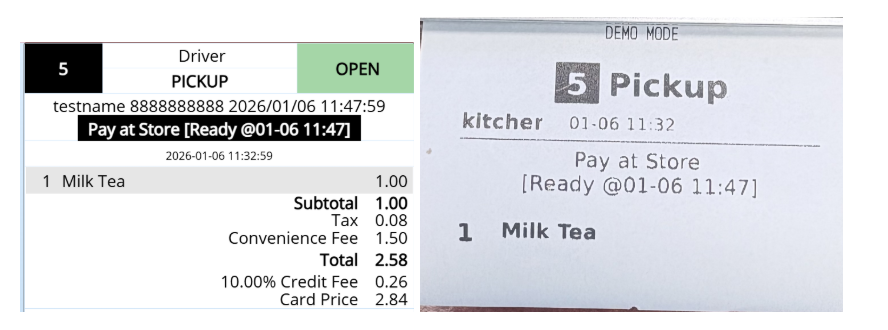
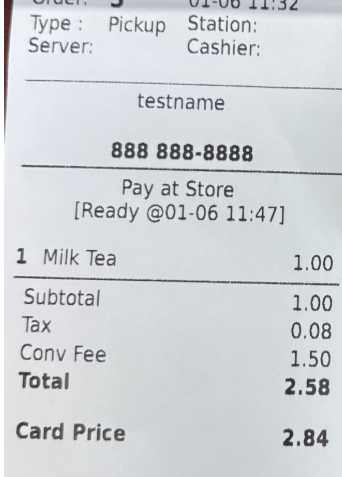
- In the new version, our system supports HID Magtek on customer display with selecting tip and signature features.
- In the previous version, if the merchant refunded the card and aborted on the cc machine, tried to submit the same refund again. There would be a freezing blank page. This bug has been fixed. [Ticket #249012]
- Inventory > Classic > Vendor: In the previous version, vendor names could not be saved after adding or updating. This has been fixed in the new version. [Ticket #245302]
- In the previous version, if a clock-in record without a clock-out time was deleted, the system would still require the user to clock out that record before clocking in again. In the new version, the user can clock in normally without being prompted to clock out the deleted record.
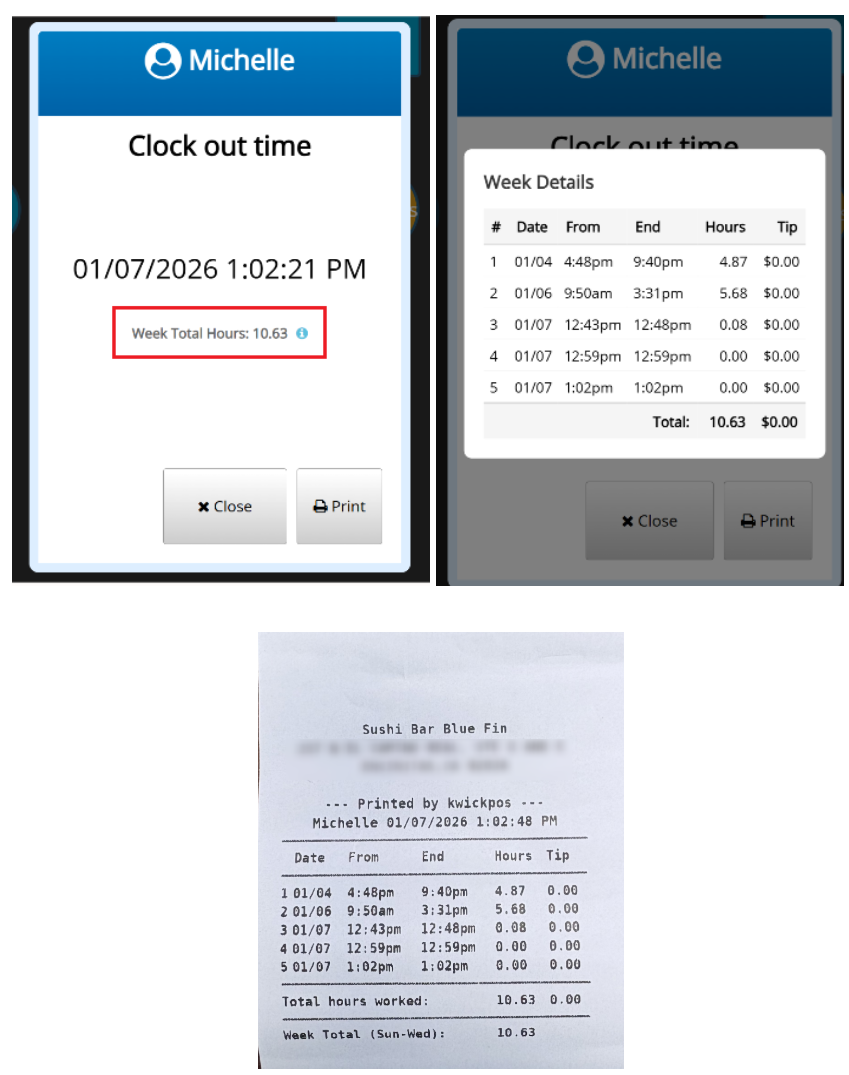
- In this new version, we added a setting under Apps > Clock In called “Include weekly hour totals in clock-out report.” This allows users to view their daily clock-in records for the week, as well as their total weekly working hours, on the clock-out screen and in the printed clock-out report.[Ticket #151372]
- In the old version, if sales tax is disabled for TOGO orders in New Backoffice > Setup > Taxes & Fees and a gift card is added to the cart to be sold, when you pay the ticket, it will not be marked as closed and remain open. [Ticket #249012]
Online:
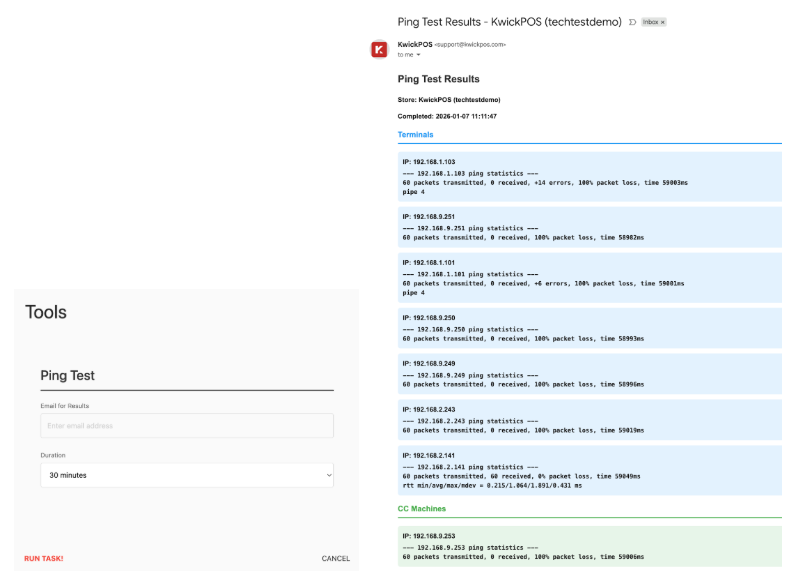
- The Ping Test Tool helps you check if all the equipment at a store (like registers, card readers, and printers) is properly connected to the network. Simply select a store, enter your email, and choose how long you want the test to run. The tool will automatically find all the devices and test each one. When the test finishes, you'll receive an email report showing which devices are working well and which ones might have connection problems. This helps quickly identify network issues that could cause slowdowns or failures during busy hours.
Still need a hand?
Our 24/7 support team can walk you through it.
Call (888) 355-6996