
Release Notes 07/08/2026
Release NotesPOS:
Orders:
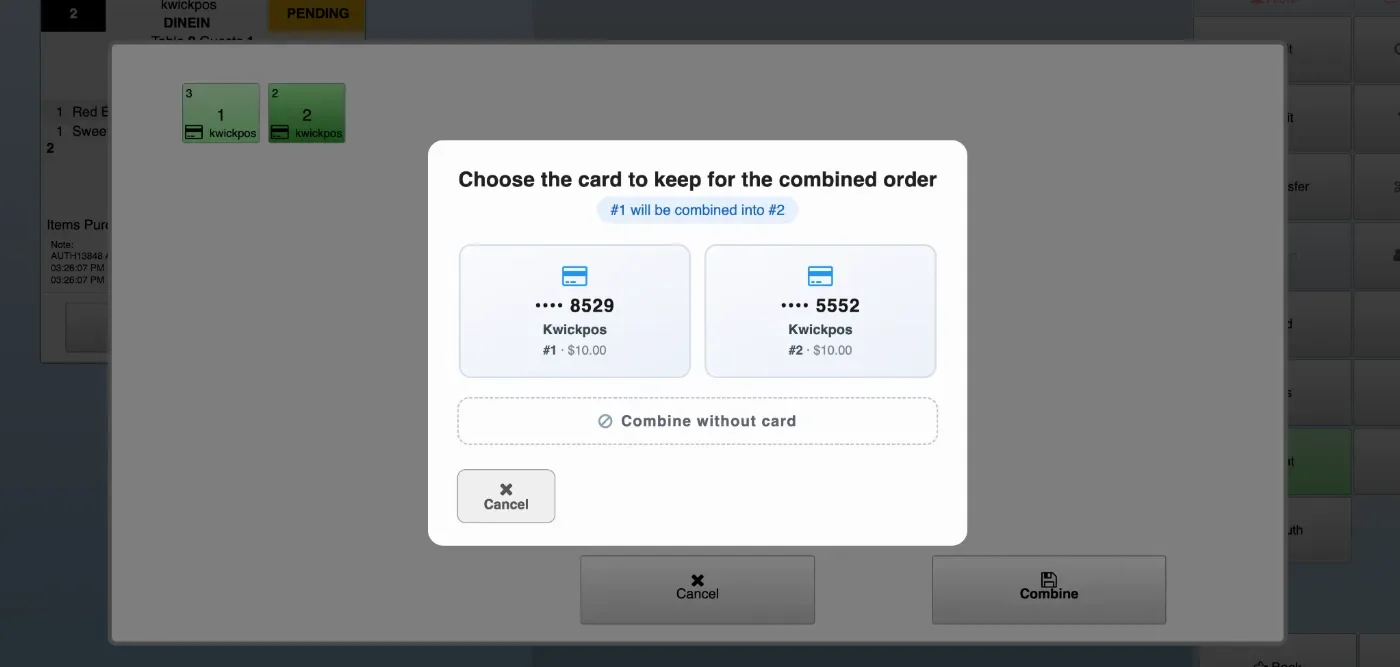
- In the new version, open tab orders can be combined, and users can choose which saved card to keep for the combined order. Configure at: Setup > Payment > Allow Combine for Open Tab Order.
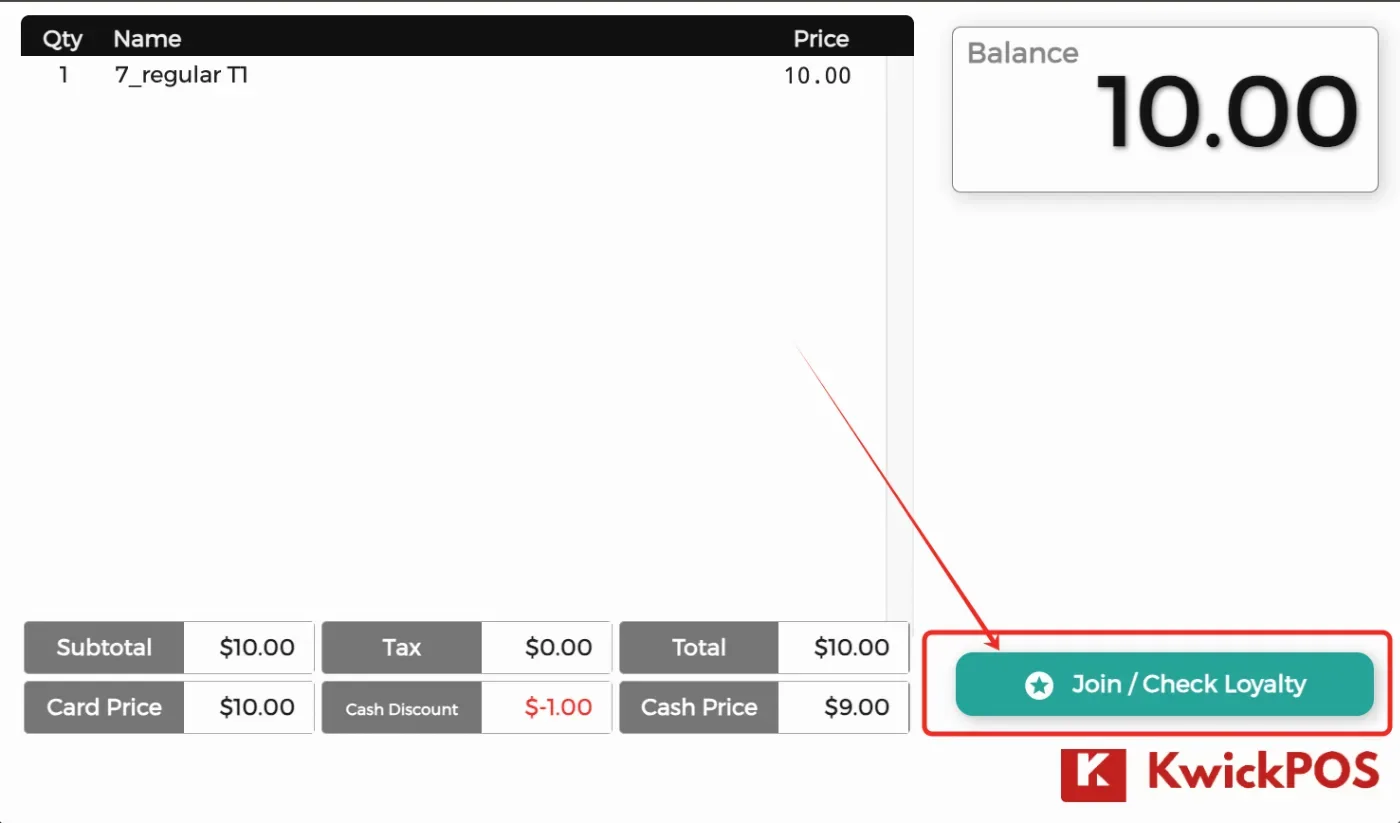
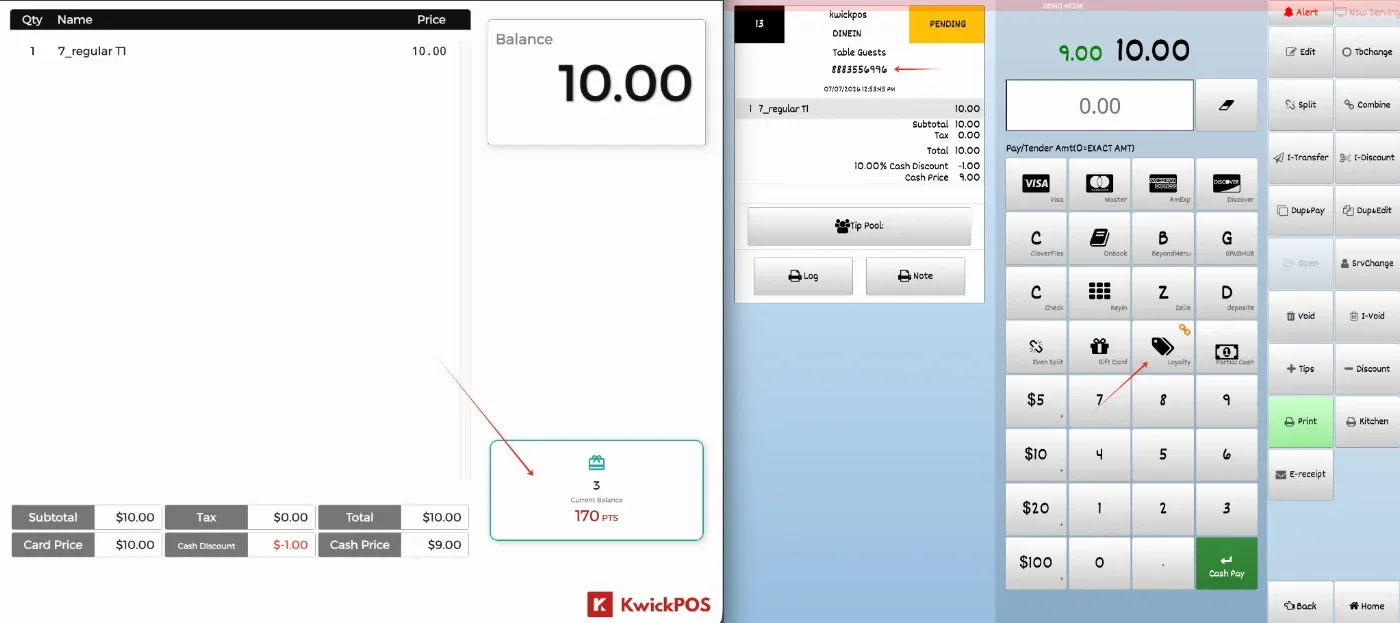
- In the new version, customers can join the loyalty program or check loyalty points from the customer display when the main page is on the payment page, and their phone number can be linked to the order. This feature can be configured under Setup > Orders > Misc > Let Customer Join/Check Loyalty on Customer Display. [Ticket # 321075]
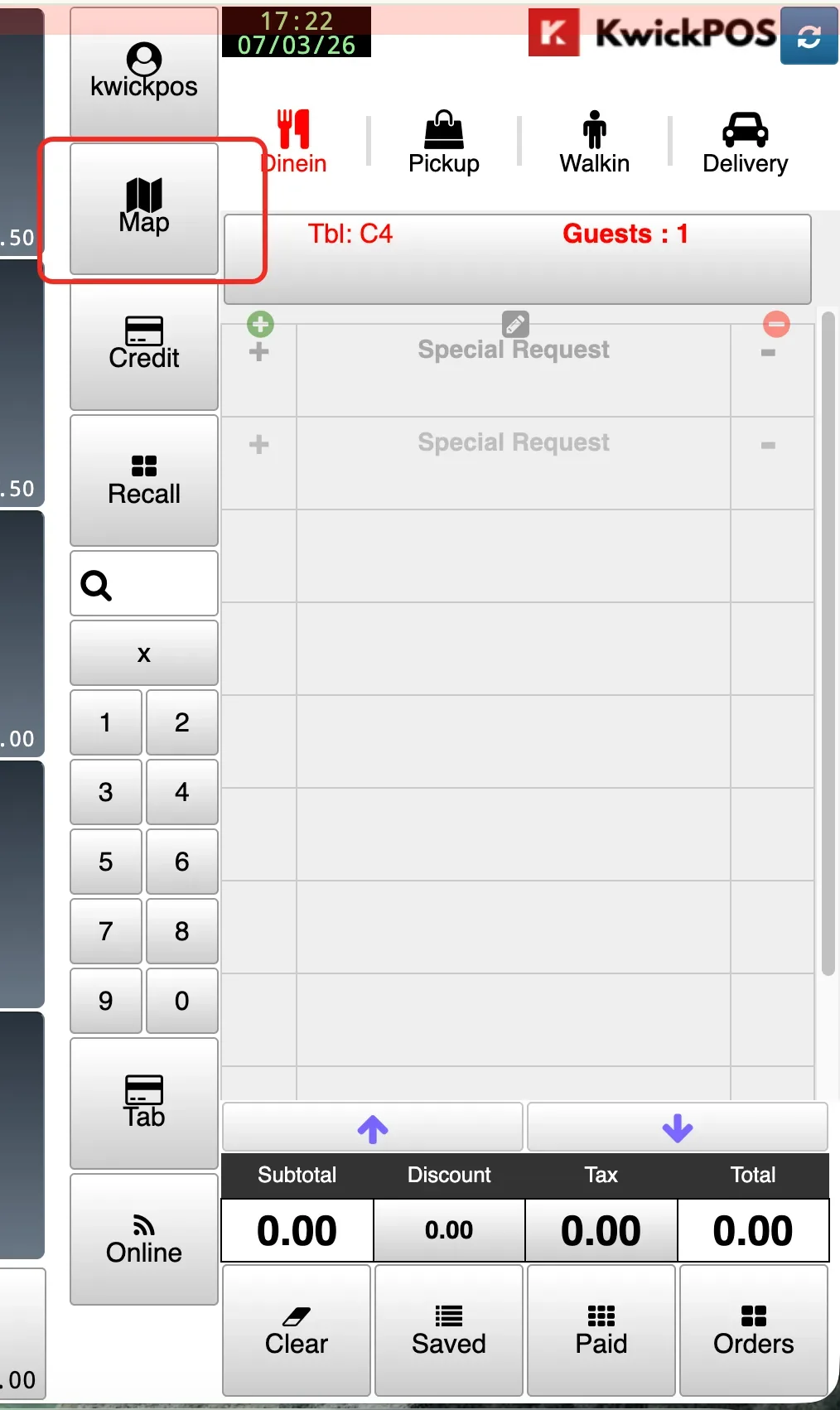
- In the new version, the map button can be displayed directly on the ordering page for delivery orders. Configure at: Setup > Order Types > Delivery > Show Map Button.
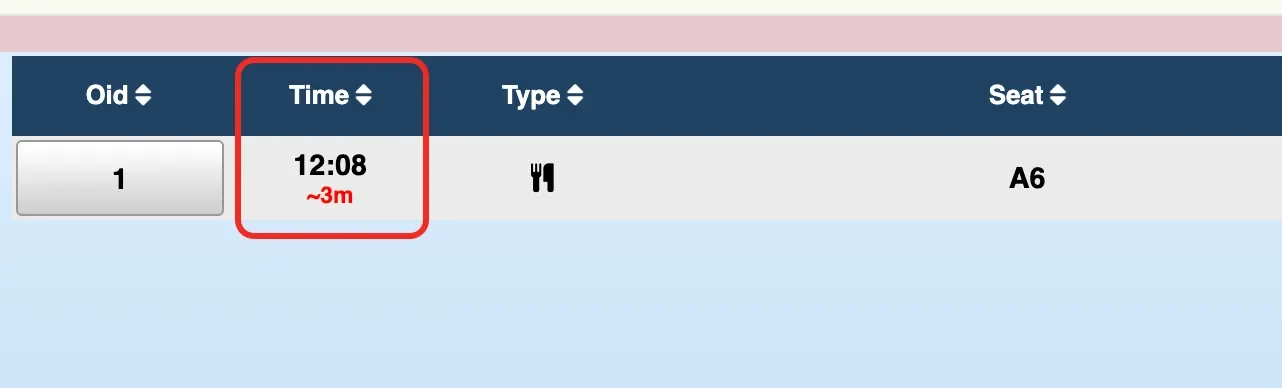
- In the new version, unpaid orders can display an elapsed timer in the detail view, showing how long each order has been entered. Configure at: Setup > Orders > Misc > Show Elapsed Time Under Unpaid Orders in Detail View.[Ticket #321158]
Print:
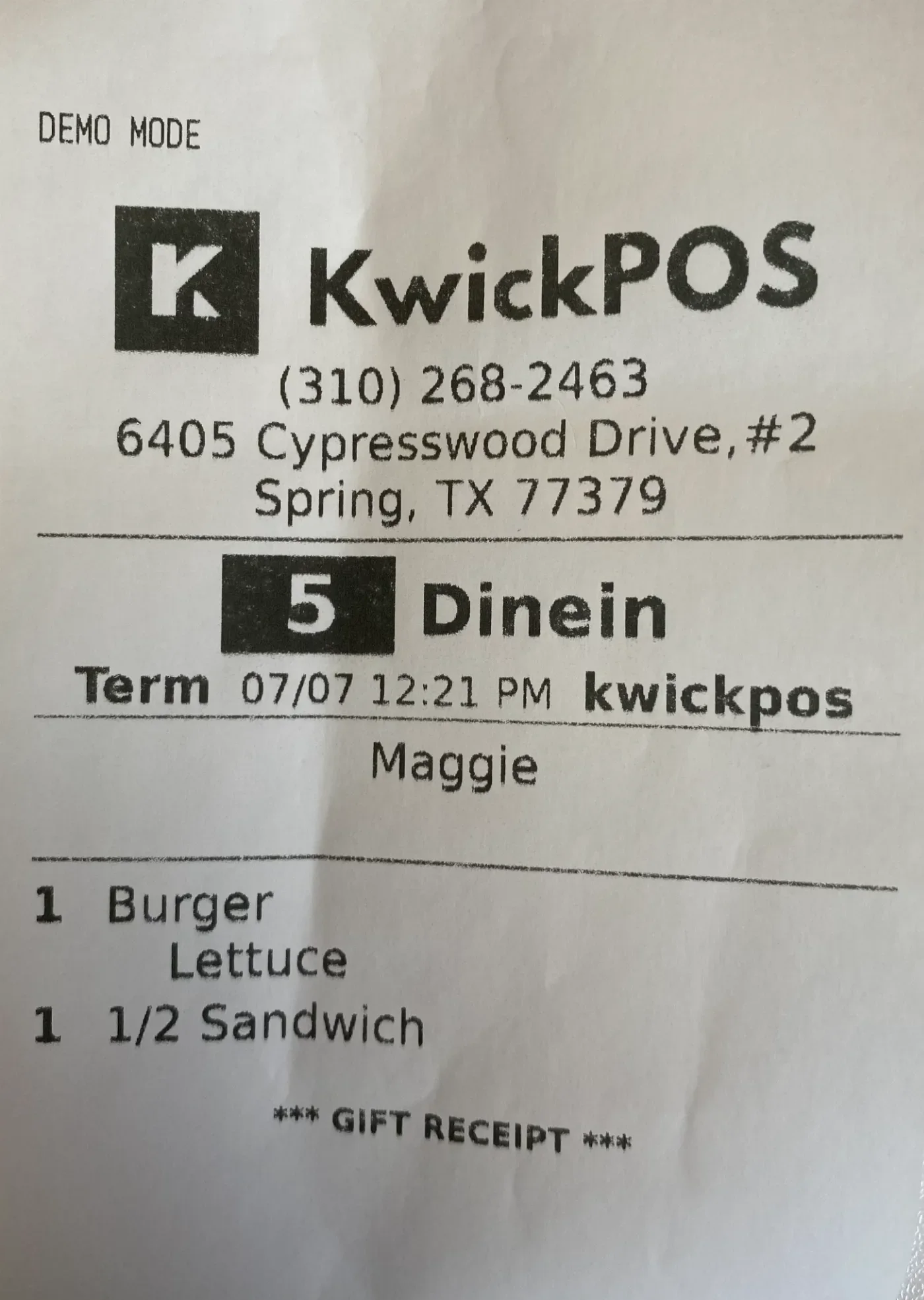
- In the new version, a Gift Receipt print button has been added to the payment page for retail orders. This allows users to print customer receipts without item prices or order totals. This feature can be configured under Setup > Orders > Pay > Print Gift Receipt. [Ticket # 317411]
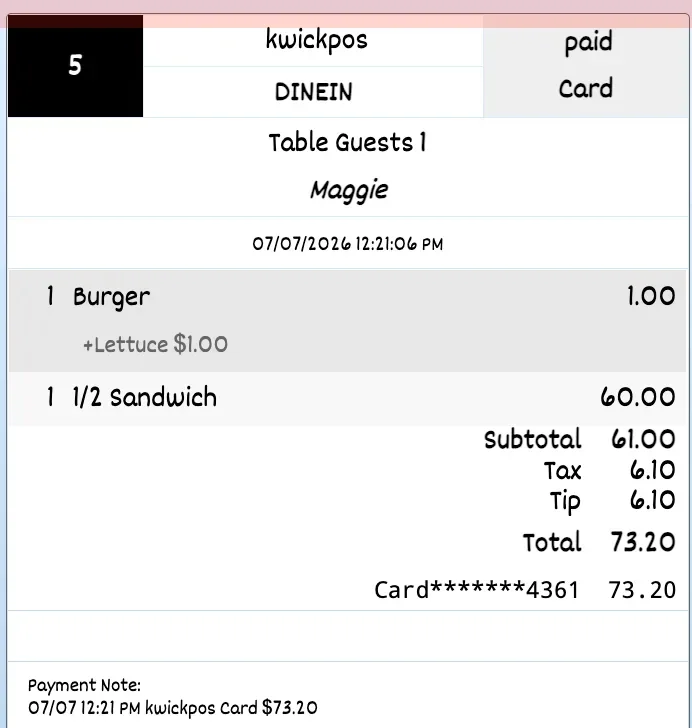
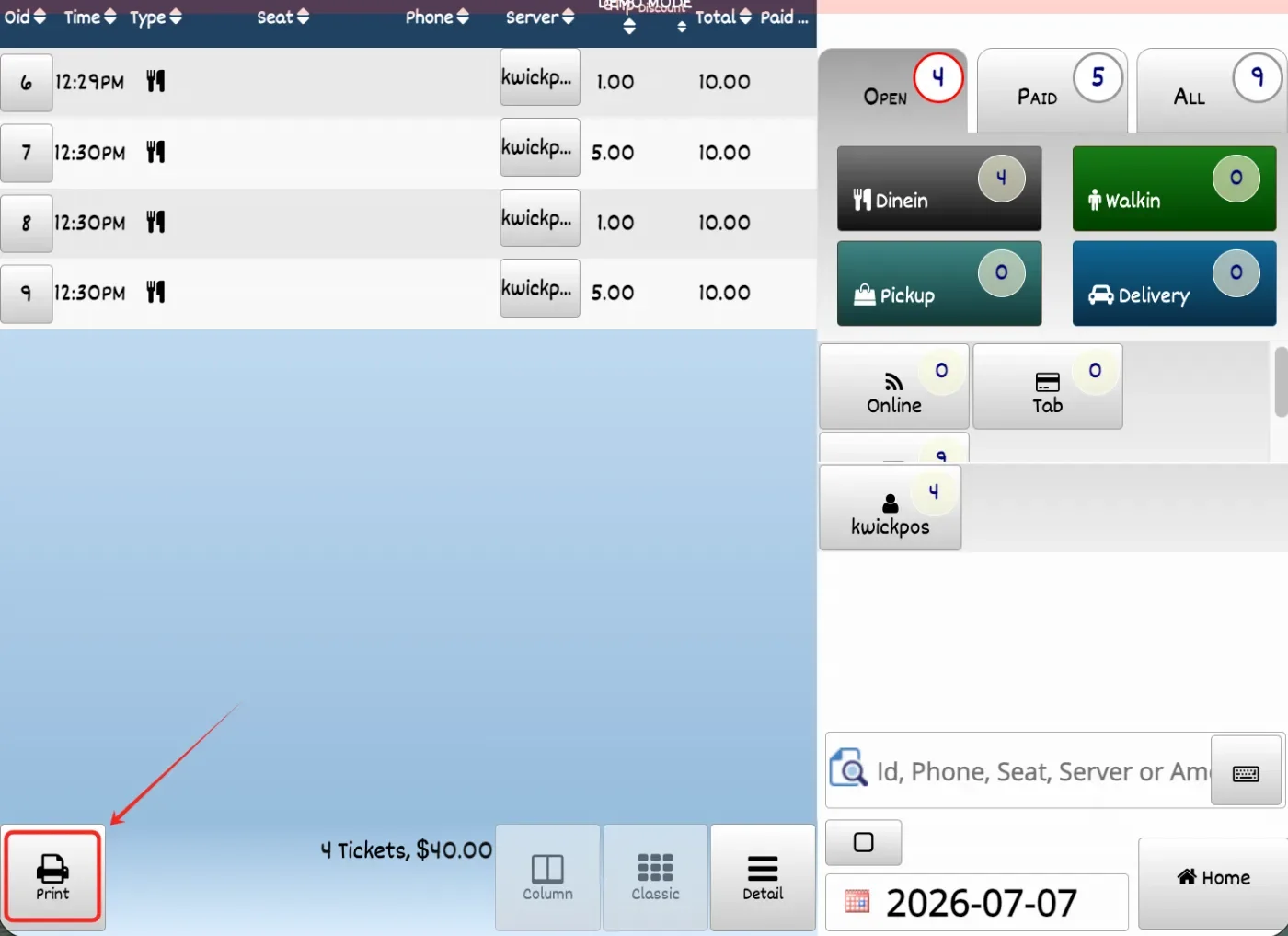
- In the previous version, the Print button in Recall Orders Detail mode printed an incorrect tip total on the order summary receipt. In the new version, this issue has been fixed so the correct tip total is calculated and printed. [Ticket # 309237]
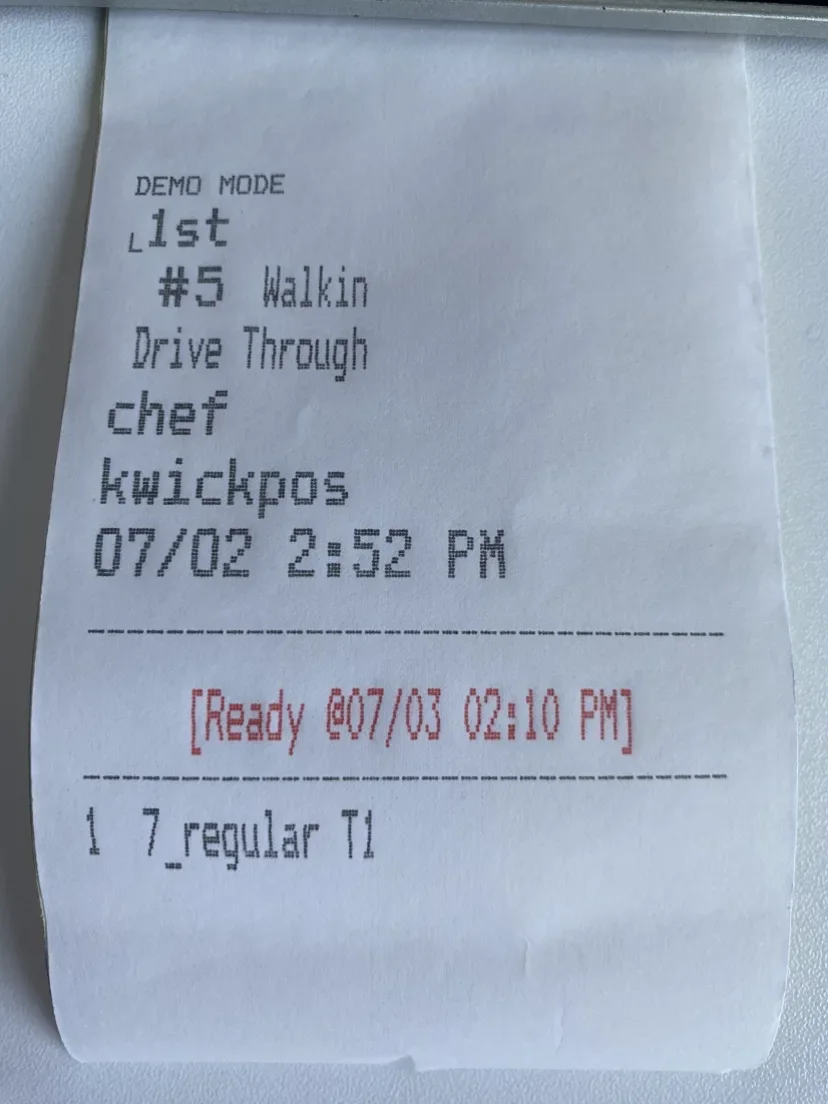
- In the new version, the ready time on Dot Matrix kitchen receipts has been updated to display in a red font, making it easier for kitchen staff to identify. [Ticket #305830]
Report:
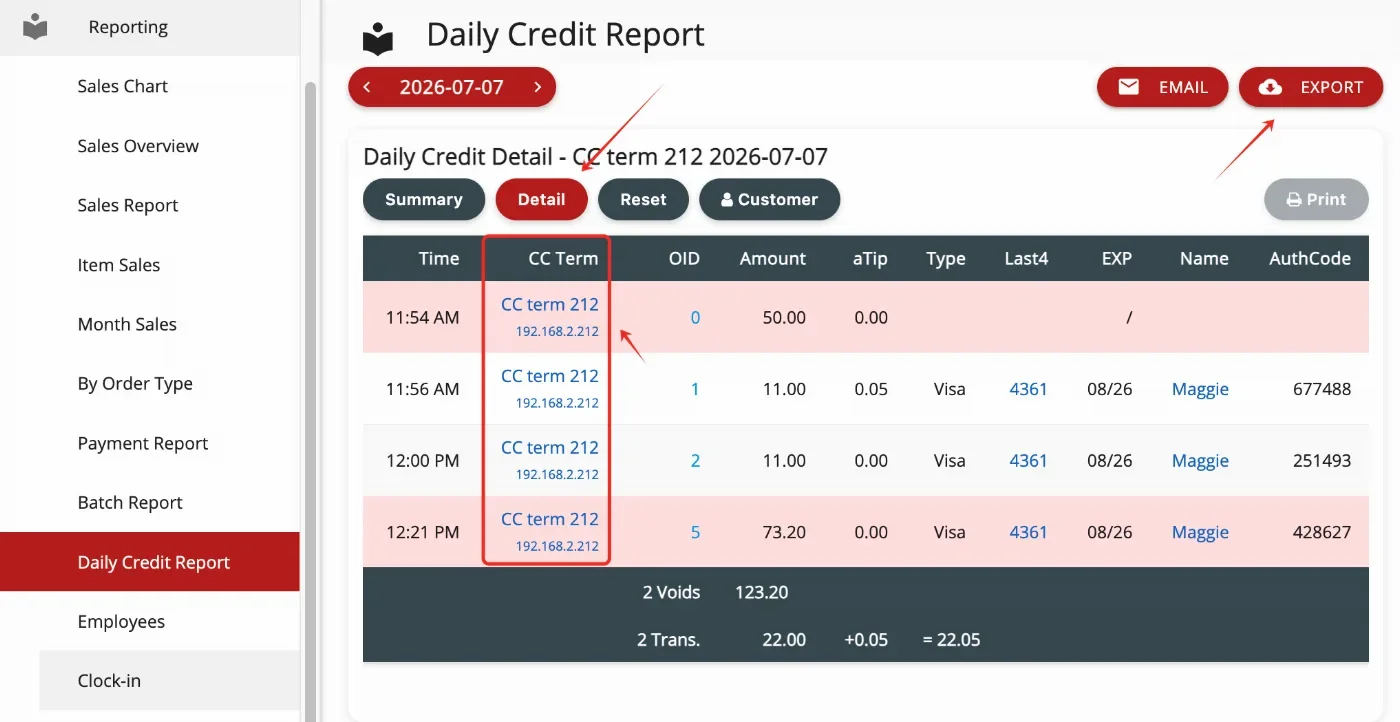
- In the new version, the Daily Credit Report includes a new detailed report for viewing credit card transactions with CC terminal information. Users can click the CC terminal IP to filter and list transactions by terminal, and export the transaction details as needed. [Ticket # 320399]
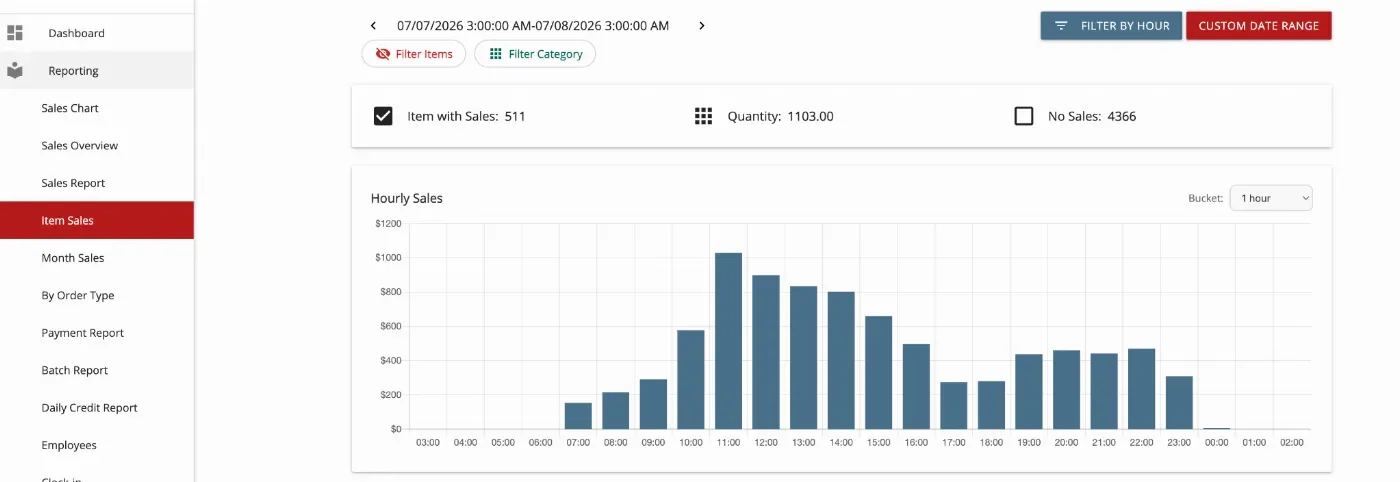
- In the new version, the Item Sales Report will include an hourly sales chart for the respective selected categories/menu.
Other:
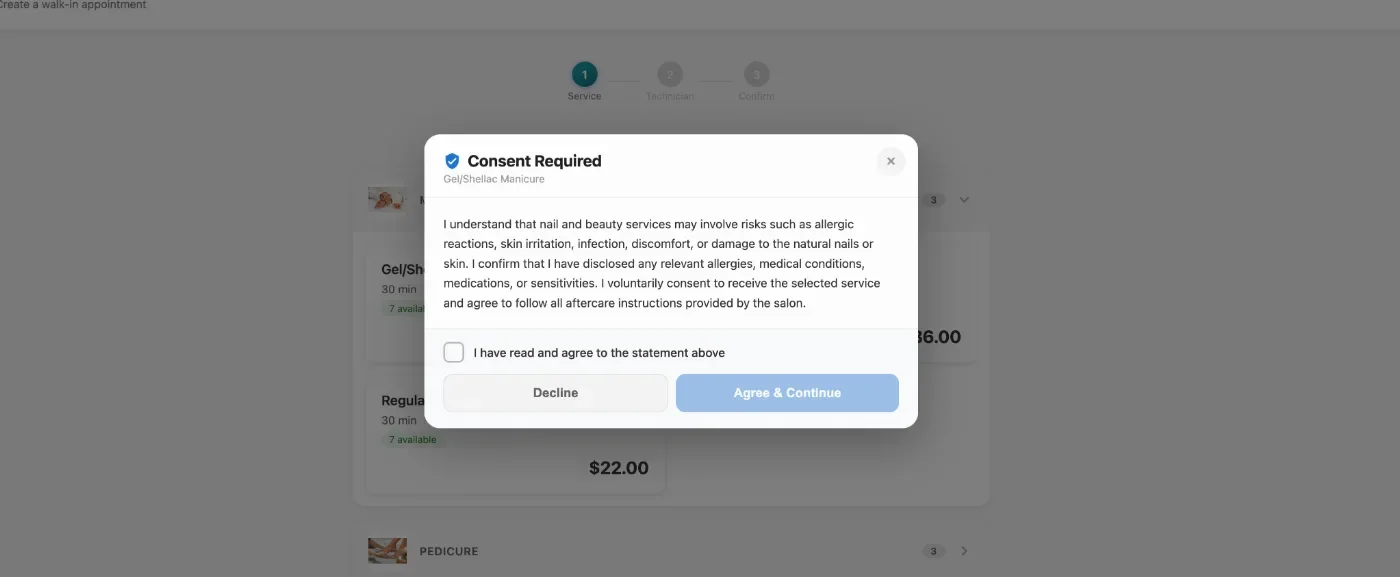
- In the new version, the Nail Salon check-in page supports waiver/consent forms for selected high-risk services. Customers must review and agree to the form before proceeding.Configure at: Apps > Reservation > Service Waiver/Consent.
- In the new version, original payment refunds (returns) support returning individual items from an item group.[Ticket #317894]
- In the new version, waiter roles can be allowed to make reservations from both POS and the App. Configure at: Apps > Salon Setting > Reservation > Staff Manage Own Reservation.
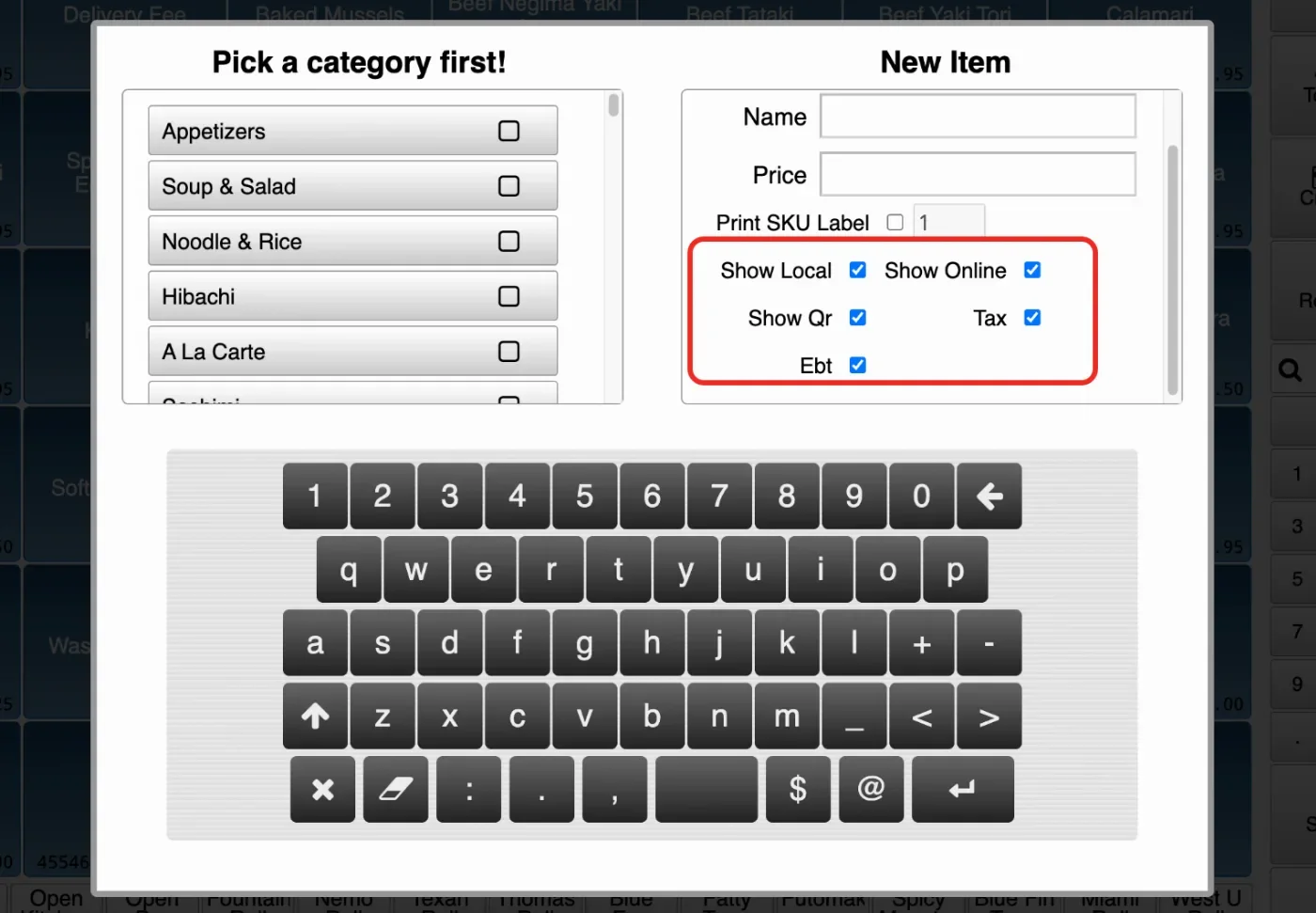
- In the new version, users can set Available POS, Available Online, Tax, and EBT options when adding scanned items.[Ticket #319288]
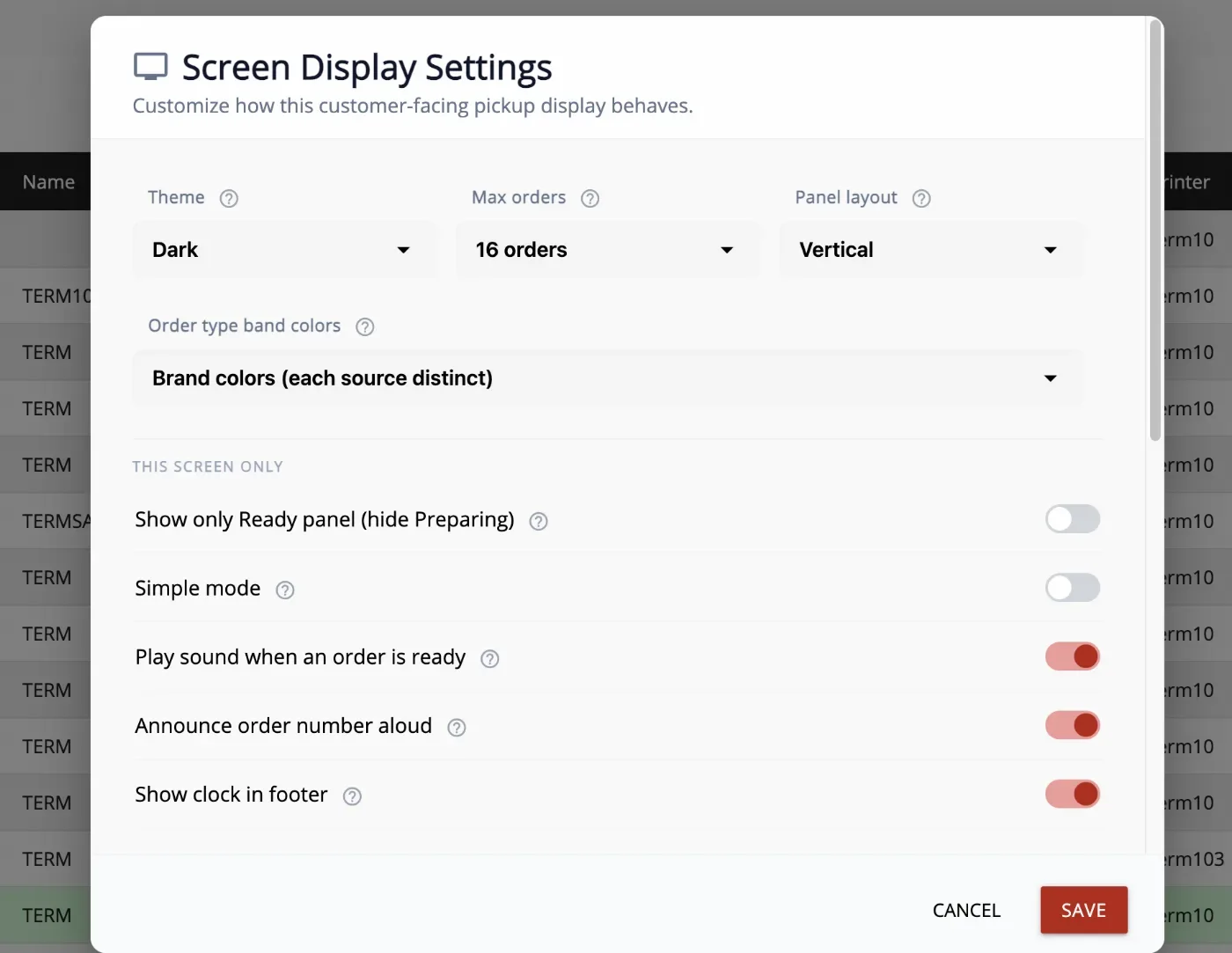
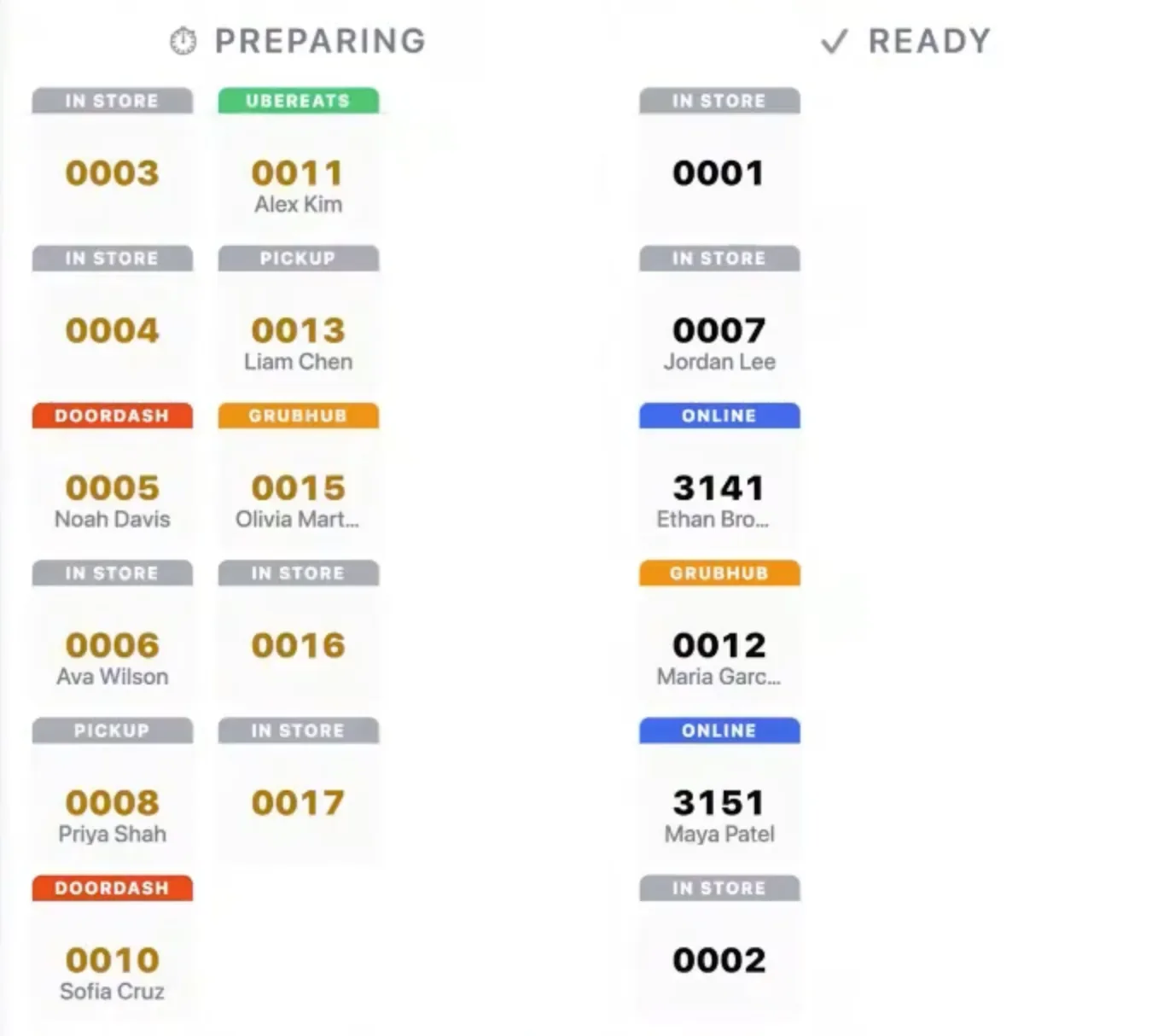
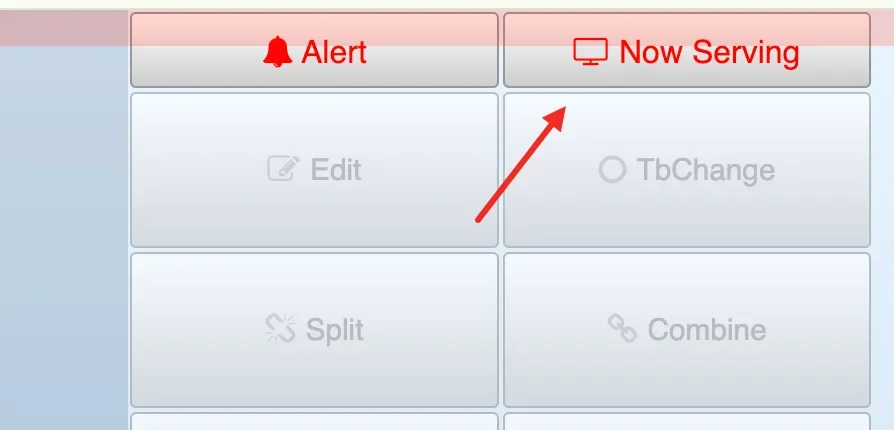
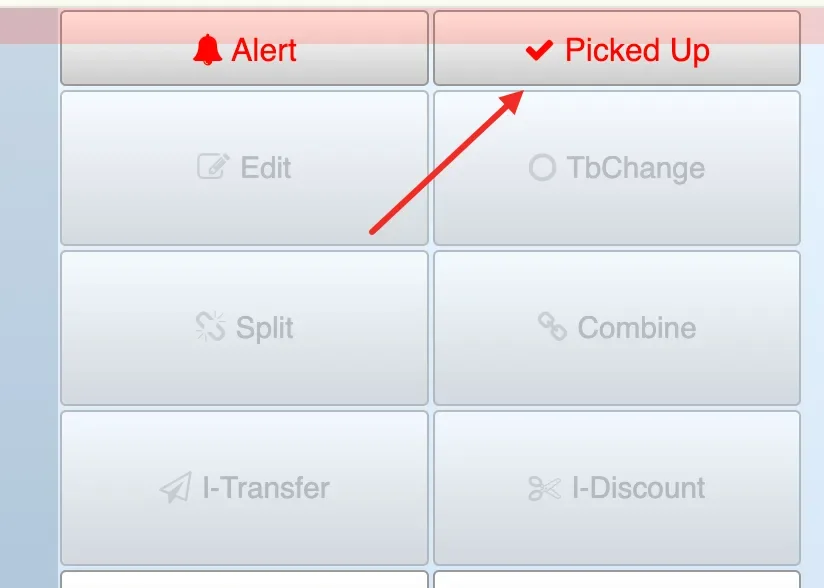
- In the new version, Screen Mode is available for displaying orders by status for Preparing and Ready. Configure at: Setup > Terminal > Terminal Mode > Screen Mode. On the Recall Orders page, after payment is completed, the Now Serving button at the top right will become clickable. Click the Now Serving button to move the order from Preparing to Ready. Once the order is in Ready status, the Now Serving button will change to the Pickup button. Click Pickup to remove the order from the Ready section. After changing the terminal mode to Screen Mode, click the Screen button to open the Screen Display Settings, where you can configure sound, colors, and other related settings.

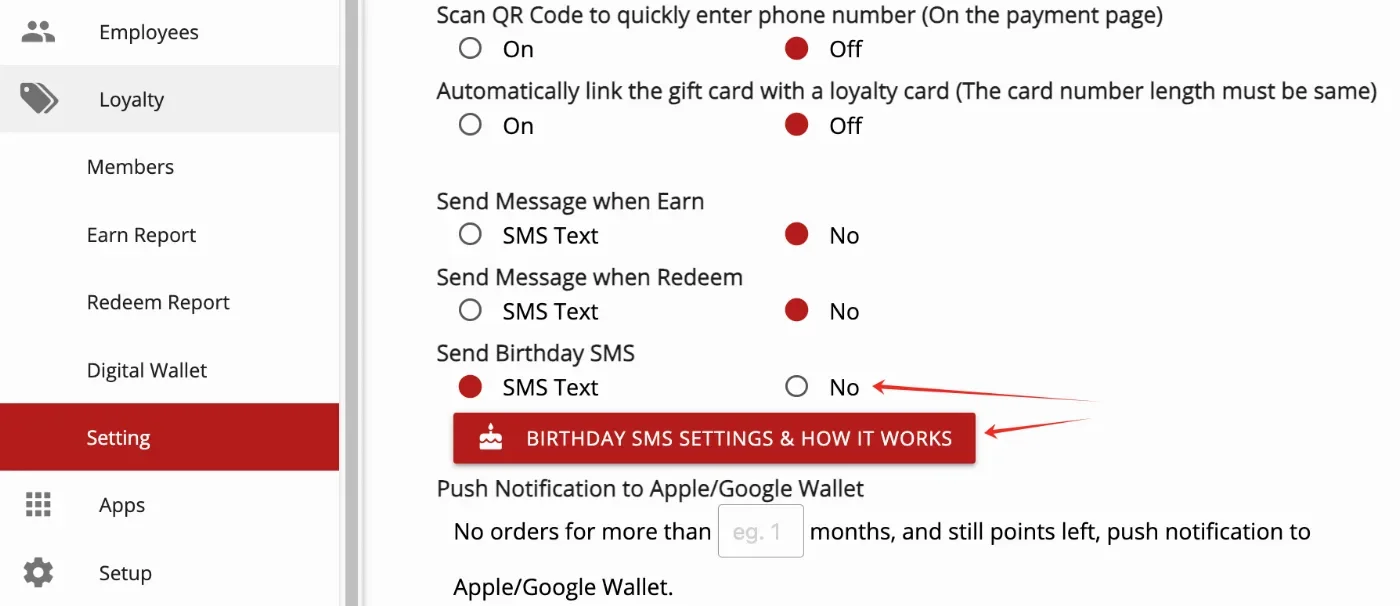
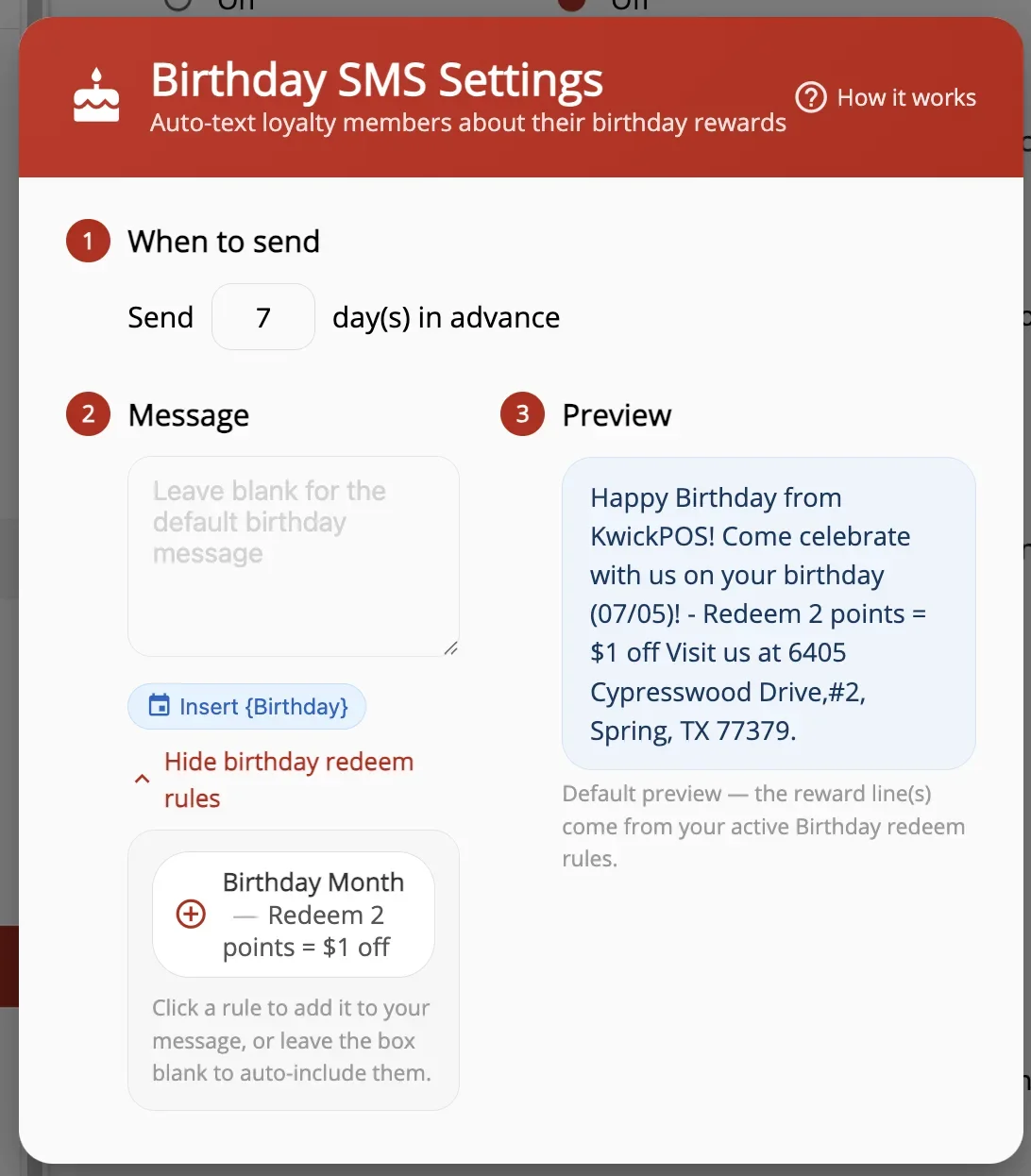
- In the new version, a Birthday SMS feature has been added to automatically send promotional text messages to loyalty customers on their birthday or a few days in advance. This feature can be configured under Loyalty > Settings > Send Birthday SMS. Click Birthday SMS Settings and How It Works to view detailed instructions. [Ticket # 317368]
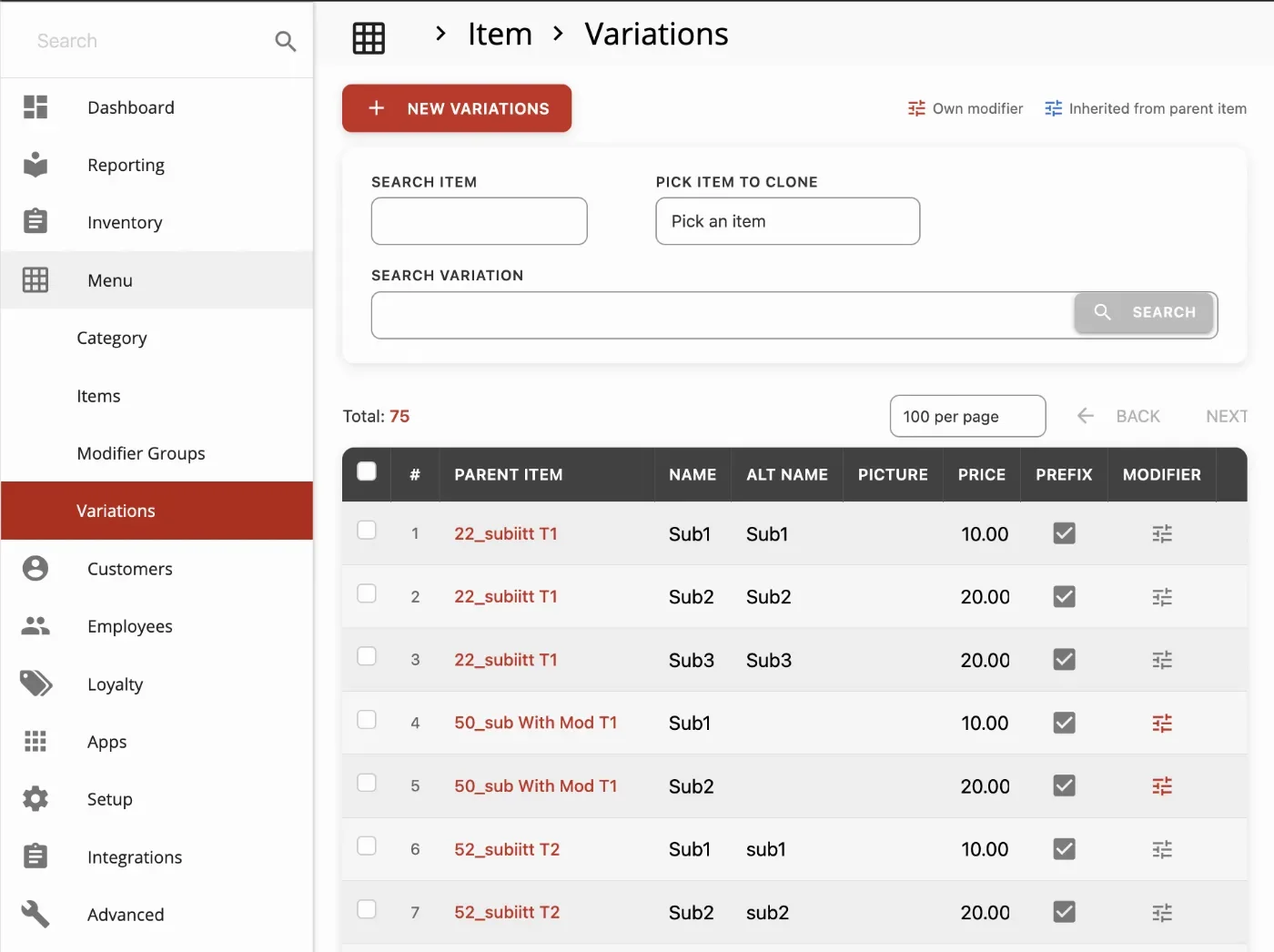
- In the new version, a new Variations page has been added under Backoffice > Menu > Variations, allowing users to edit, delete, and update all sub-items in one place with support for mass editing. Users can also clone sub-items from one item to other items. [Ticket # 312569]
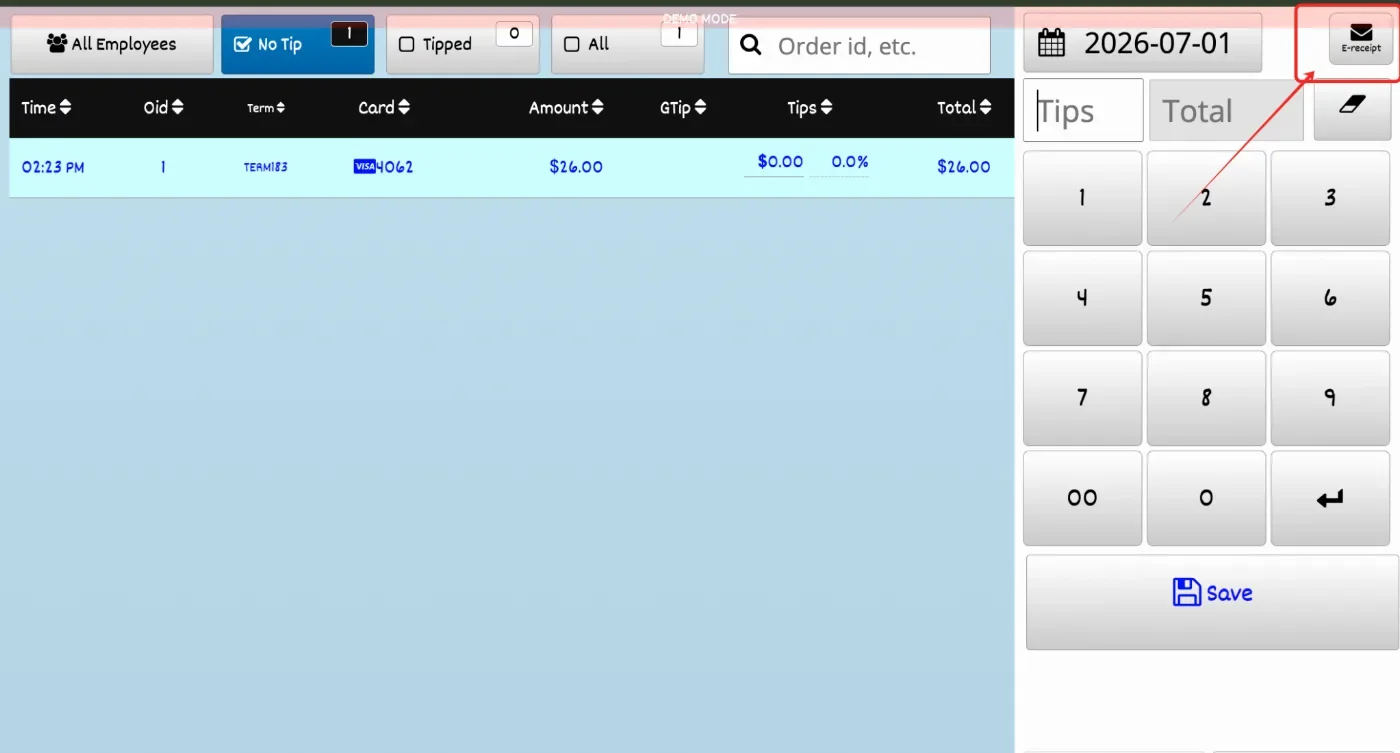
- In the new version, we have added the feature to send the CC receipt to an email or sms. [Ticket #319189]
- In the new version, we added a PDS/Packer auto-print feature: when an order is completed on the packer screen, the system can automatically print it to the configured order printers, with options to control printers by order type and online-only orders. Switch location: Admin -> Settings -> Orders -> Packer Auto-Print on order finish. After enabling it, configure the printers per terminal from the terminal’s Printers tab.
KwickMenu.com:
- In the previous version, the online ordering system accepted delivery orders outside of the configured delivery hours. This bug has been fixed.[Ticket #321826]
- In the new version, we added a new setting under Apps > Online Order called Include Utensils. When this setting is enabled, KwickMenu displays an Include Utensils toggle during checkout, allowing customers to choose whether they want utensils. If the customer requests utensils, “Utensils Requested” will be sent to the POS as an order note.[Ticket #314397]
- In the previous version, when booking future date reservations on Salon KwickMenu, the system checked the wrong availability. This issue has been fixed.
- In the new version, online salon reservation also will send SMS to notify technicians.
Still need a hand?
Our 24/7 support team can walk you through it.
Call (888) 355-6996