
Release Notes (06/24/2026)
Release Notes Orders:
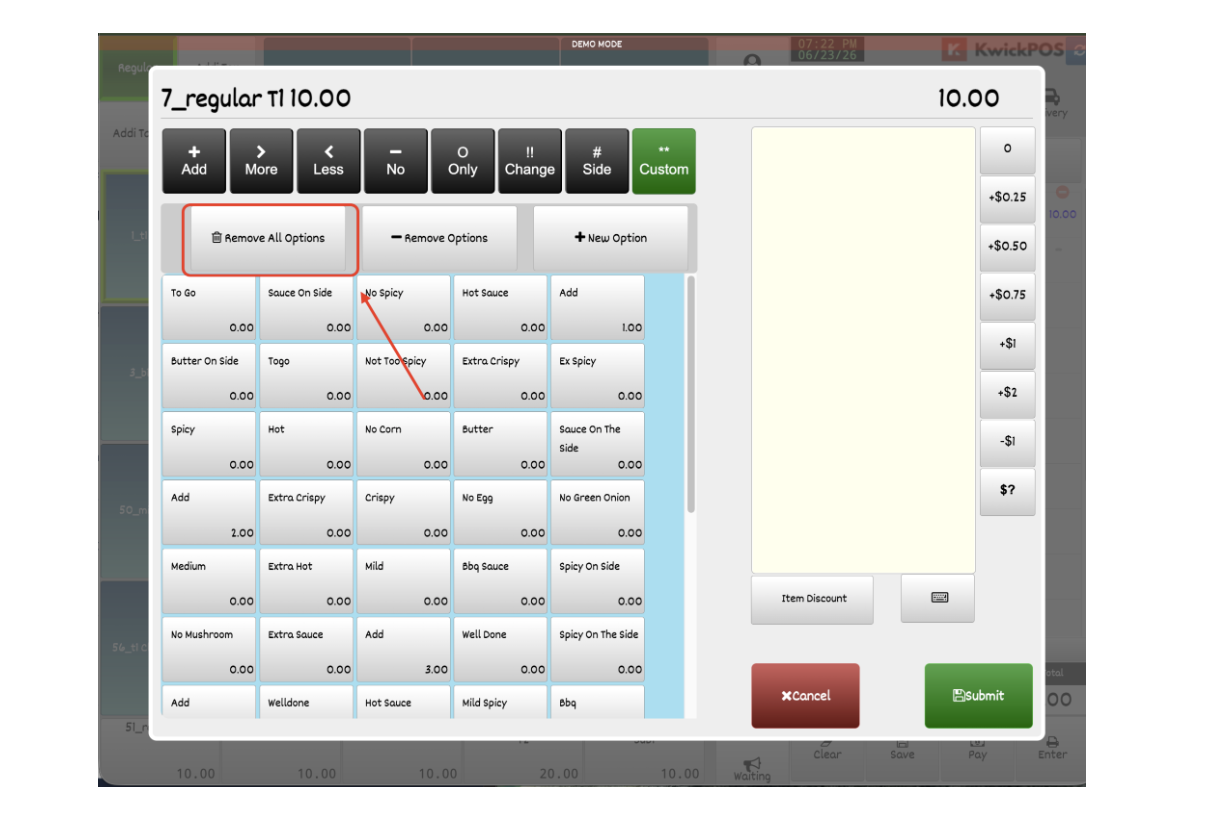
- In the new version, a “Remove All Options” button has been added to the Special Request page, allowing users to quickly remove all customized special requests. This feature is limited to Manager and Owner users. [Ticket #310691]
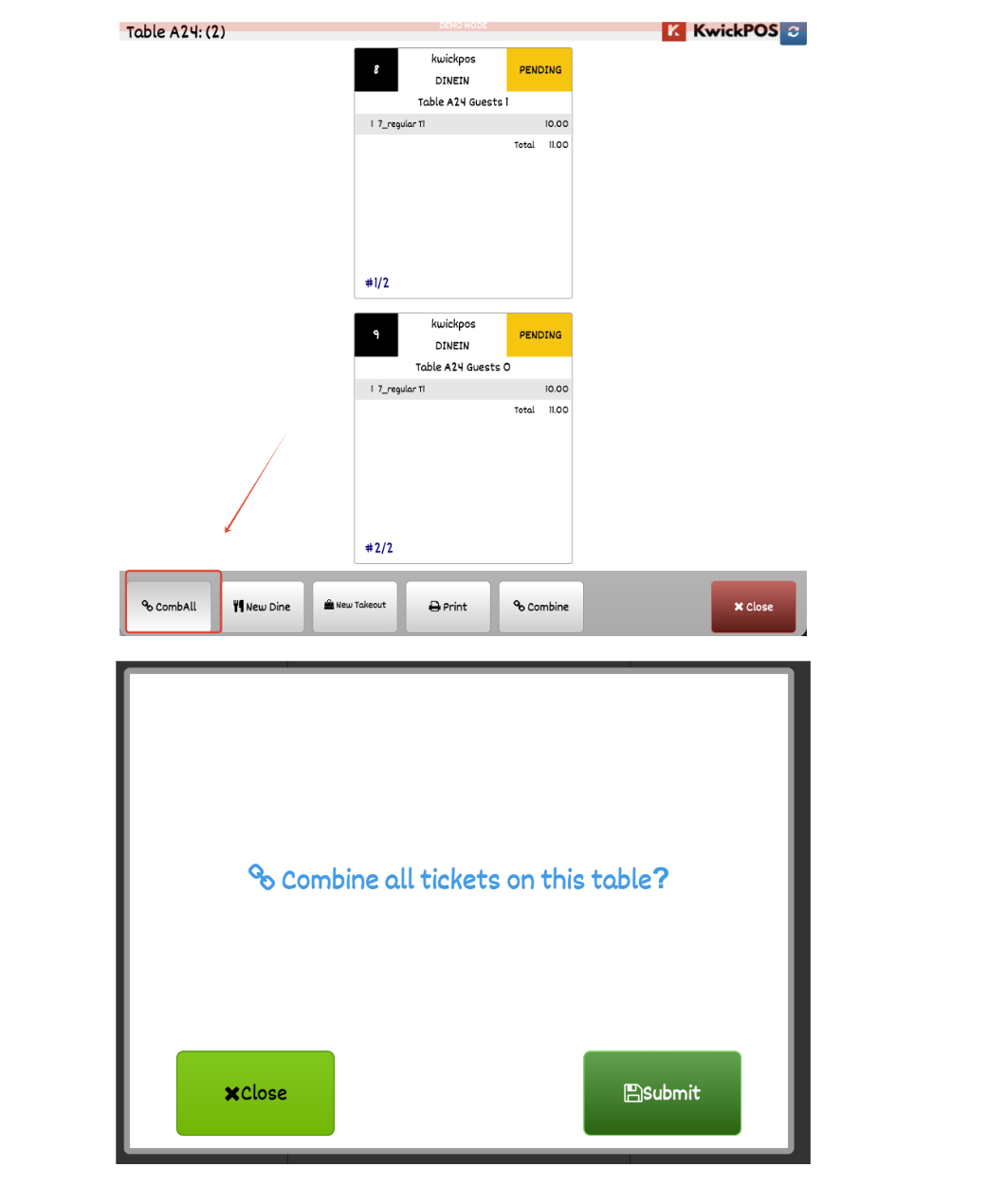
- In the new version, a confirmation prompt has been added when “Combine All” is clicked to help prevent accidental actions. [Ticket #317124]
- In the new version, adding a weighted item (e.g., 20 lb) to the cart will deduct inventory based on the exact weight quantity (20 units), whereas in the old version inventory was only deducted once per item regardless of weight.
In the new version, Keep Logout is controlled by both User Permissions and Terminal Settings:
- Enable Keep Logout in Advanced > Rule and Credit Card settings (Yes or All).
- If Terminal Settings > Disable Keep Logout on This Terminal is enabled, all users on that terminal will remain logged in regardless of their user permission settings. Auto logout will not be applied on that terminal.
- If Terminal Settings > Disable Keep Logout on This Terminal is disabled, the system will follow the user's Keep Logout permission:
- If Keep Logout permission is enabled for the user, the user will be automatically logged out after completing an action.
- If Keep Logout permission is disabled for the user, the user will remain logged in.
Print:
- Previously, if a customer special request ended with a trailing space, dot-matrix printers would print a garbled character. This has been fixed. [Ticket #313393]
- In the new version, a new option has been added to customize the labels for Card Price and Cash Price to be printed on the customer receipt when surcharge is enabled. Configure at Setup > Payment > Credit Settings > Card/Cash Label. [Ticket #317080]
Payment:
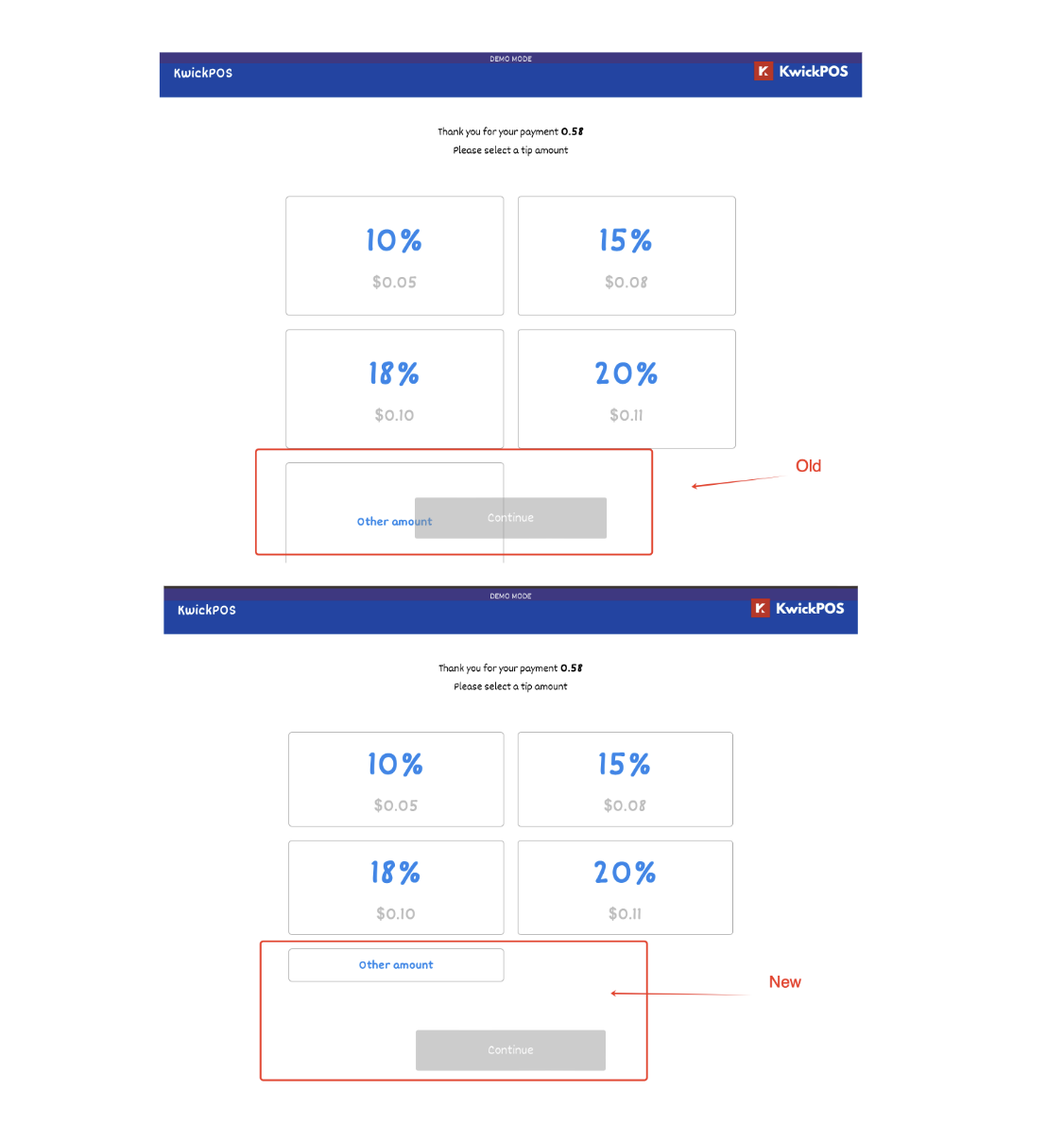
- In the previous version, on MagTek devices, the "Other Amount" button on the tip suggestion screen was not clickable when four tip options were configured. This issue has been fixed in the new version. [Ticket #302021]
Report:
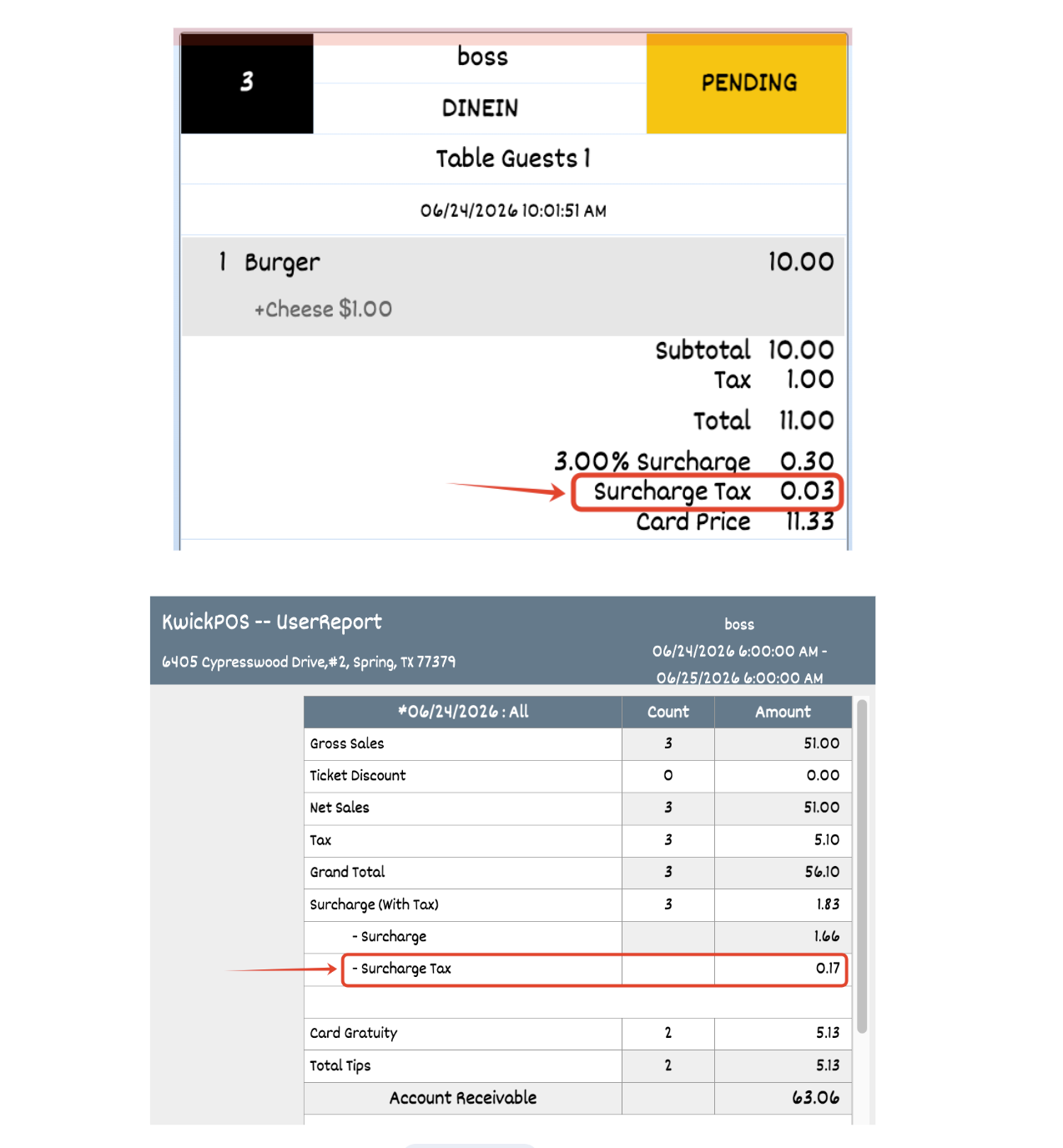
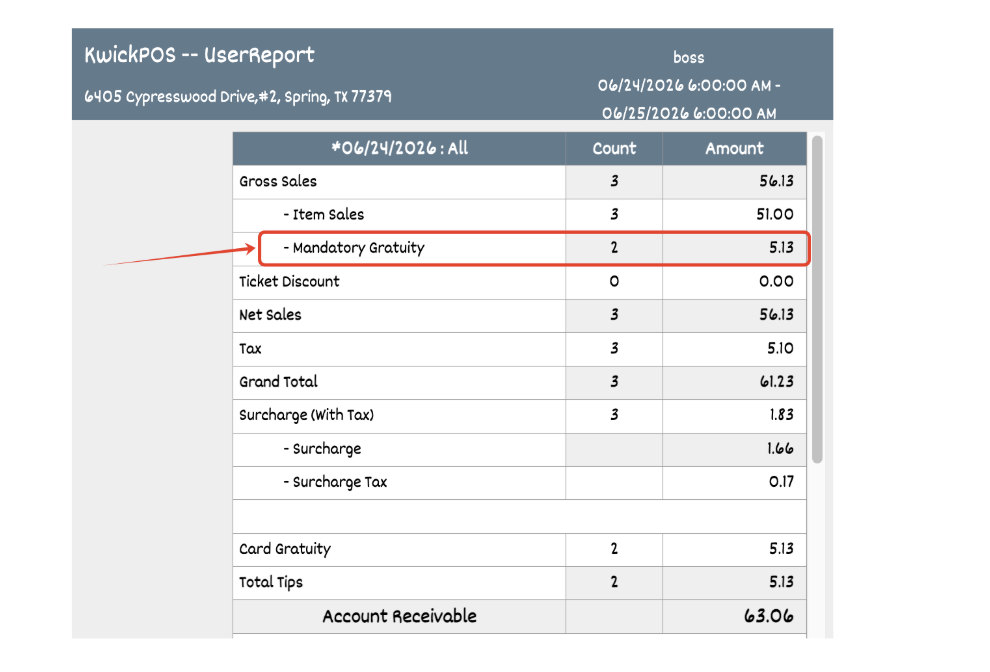
- In the new version, a setting has been added to separate the surcharge amount and surcharge tax. Configure in Setup > Taxes & Fees > Display Surcharge Tax. When enabled, the surcharge tax will be displayed on order preview and printed on receipts. It will also be reported separately in the User Report, Daily Report, Sales Report, Employee Report, Monthly Sales Report, and Sales Overview.
- Gratuity Subject to Sales Tax – Report Enhancement: When “Gratuity is Subject to Sales Tax” is enabled, Gratuity Tip is classified as Net Sales for tax reporting across the Sales, Daily, User, Employee, and Monthly Sales reports by default, and can be disabled via Setup > Report Format > Gratuity NOT Merge in Net Sales to keep gratuity separate from Net Sales.
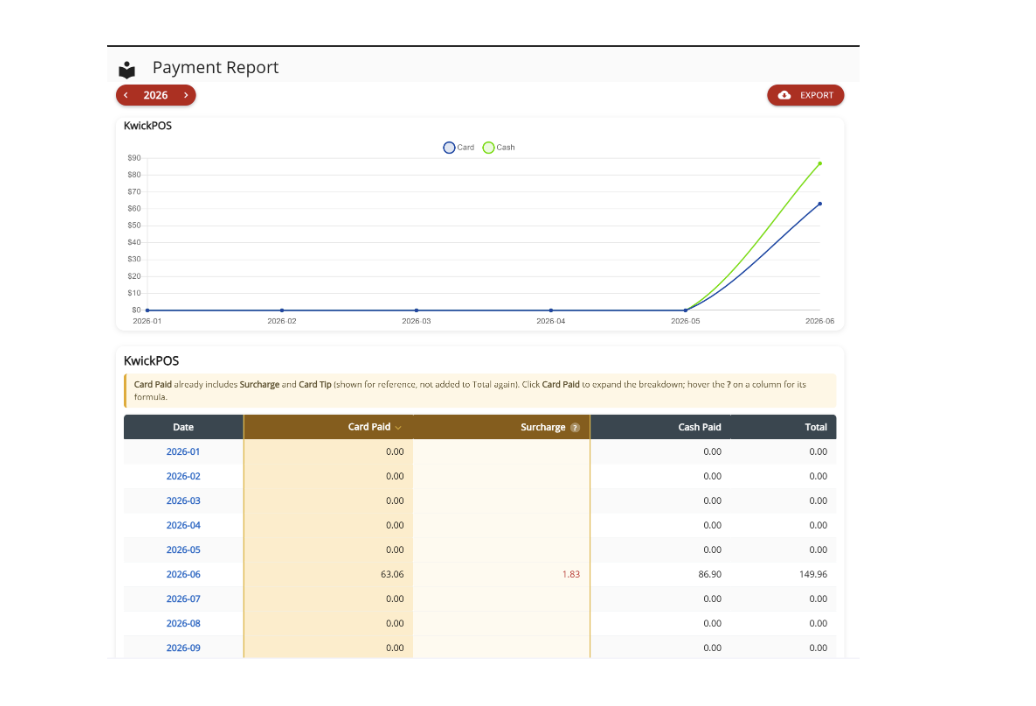
- In the new version, we enhanced our Payment Report with more accurate data, and also allowed surcharges to be displayed.
- In the new version, vendor invoice management has been added, allowing users to receive multiple inventory items under a single invoice and generate reports filtered by vendor name and invoice number. Access this feature via Tools > Receiving, and view reports under Backoffice > Inventory > Batch Tracking.
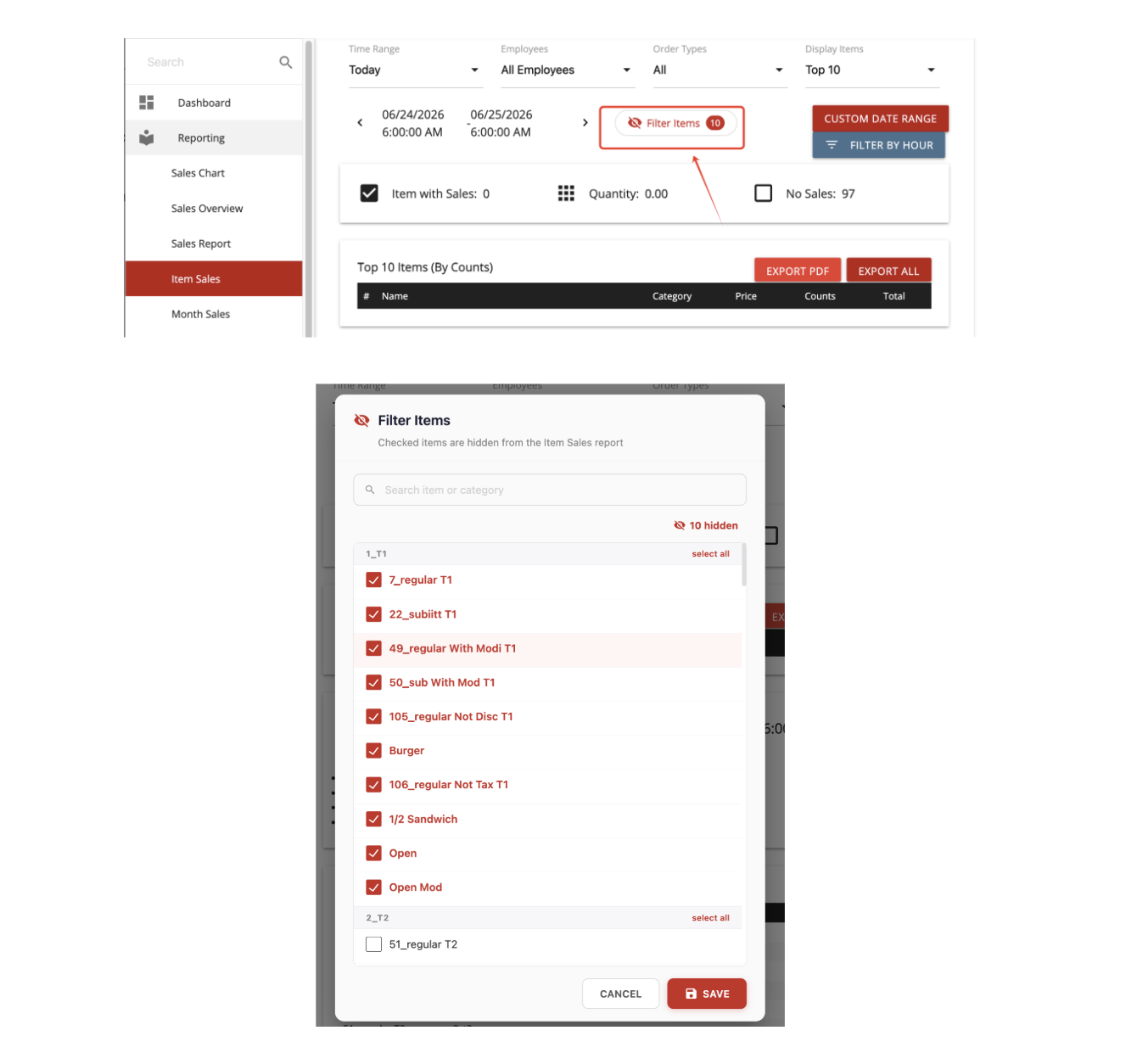
- In the new version, added a filter to exclude selected items from the Item Sales Report, preventing those items from being included in item sales calculations and reporting. [Ticket #317526]
Other:
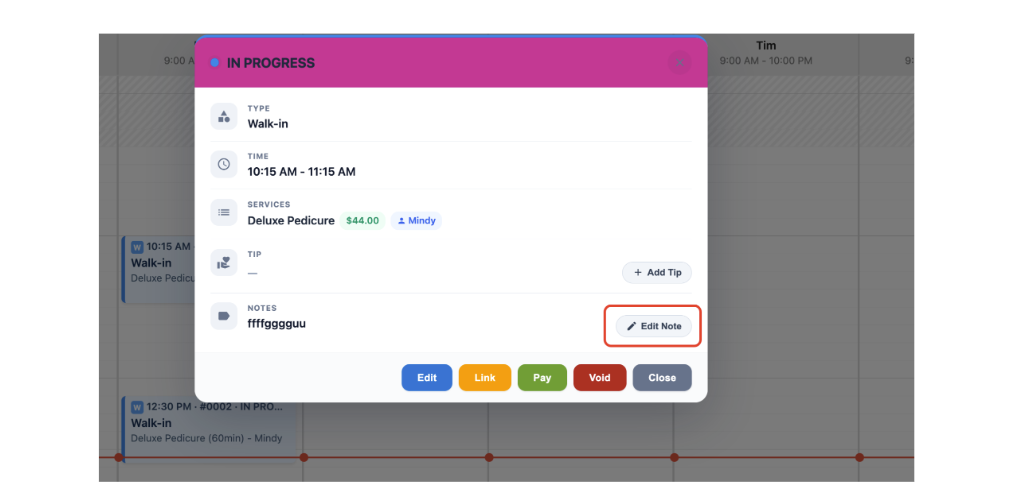
- In the new version, a quick Add Note feature was added to Salon mode, allowing users to quickly add notes during the service process.
- In the new version, customers who enter an unregistered phone number on the CDS on the Loyalty Screen will be prompted to enter their name and sign up for the loyalty program.
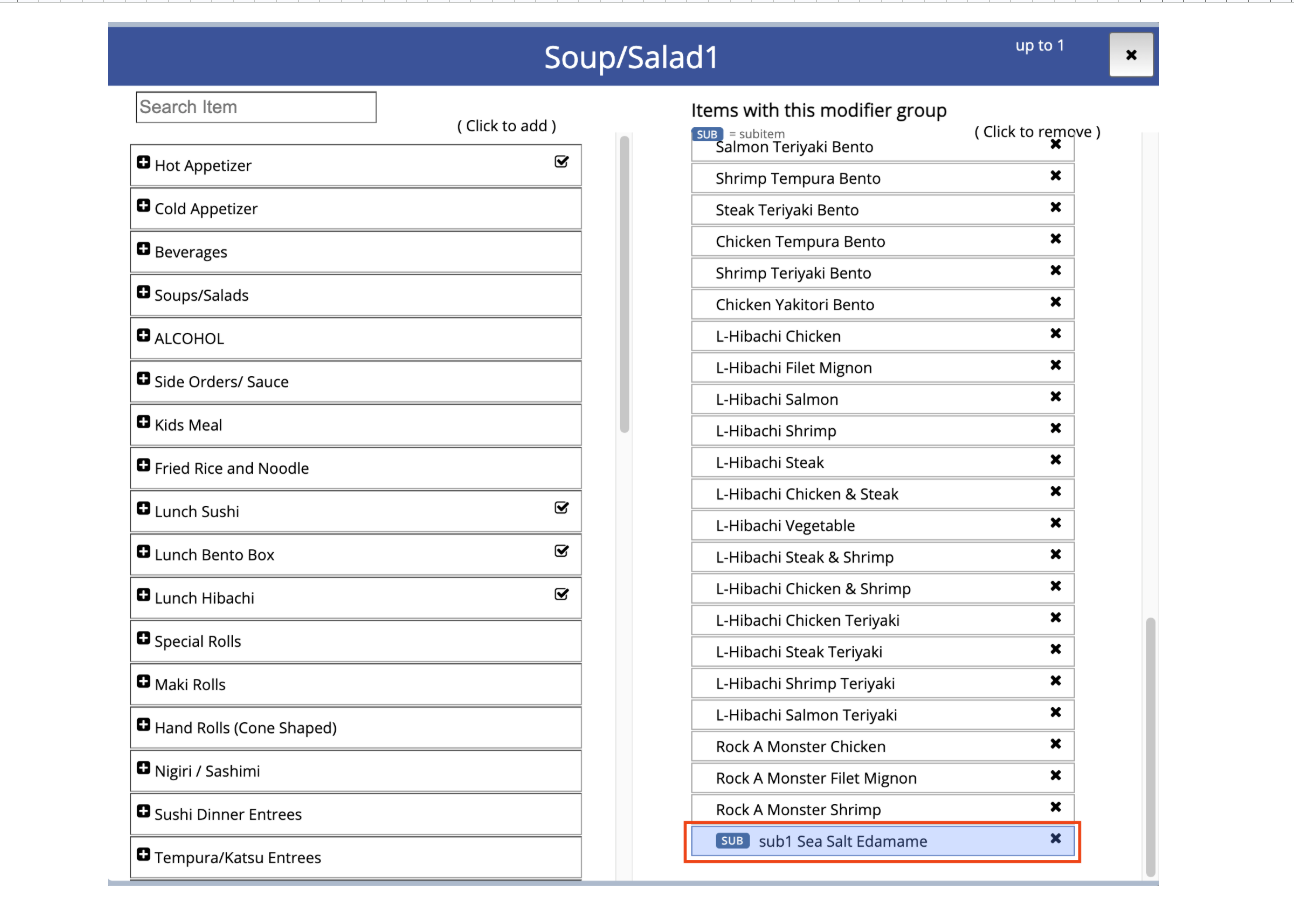
- In the previous version, when a subitem was selected in handheld mode, modifiers linked to the main item were not displayed. Additionally, modifying the subitem could trigger a JavaScript error. These issues have been fixed in the new version. [Ticket #314857]
- In the new version, subitems linked to this modifier group will also be displayed.
- In this version, users with the Manager role are no longer able to edit discount permission values, either their own or those of other Manager users.
- In the new version when using the Receiving tool, the search bar will be automatically cleared when a new barcode is scanned.
- In the old version, real-time alerts for ticket discounts, item discounts, and item voids were not sent when only the user's email address was configured (without a phone number). Now, these alerts are sent regardless of whether a phone number is present.
- Previously, the waiting terminal mode displayed an incorrect AM/PM indicator. This has been fixed. [Ticket#316395]
- In the new version, the Price Increase Tool also supports an increase by a fixed amount. Items/subitems/modifiers with a $0 price are excluded from the price increase/decrease calculation. [Ticket #313438]
- We’ve added the ability to delete and undo an inventory batch if an error was made. [Ticket #313524]
- In the new version, pagination and touchscreen swipe navigation were added to the KDS/PDS working page to allow staff to access new incoming orders when a high volume of tickets is present. Configure in: Setup > Order > KDS > KDS/PDS Working Page Pagination. [Ticket #313664]
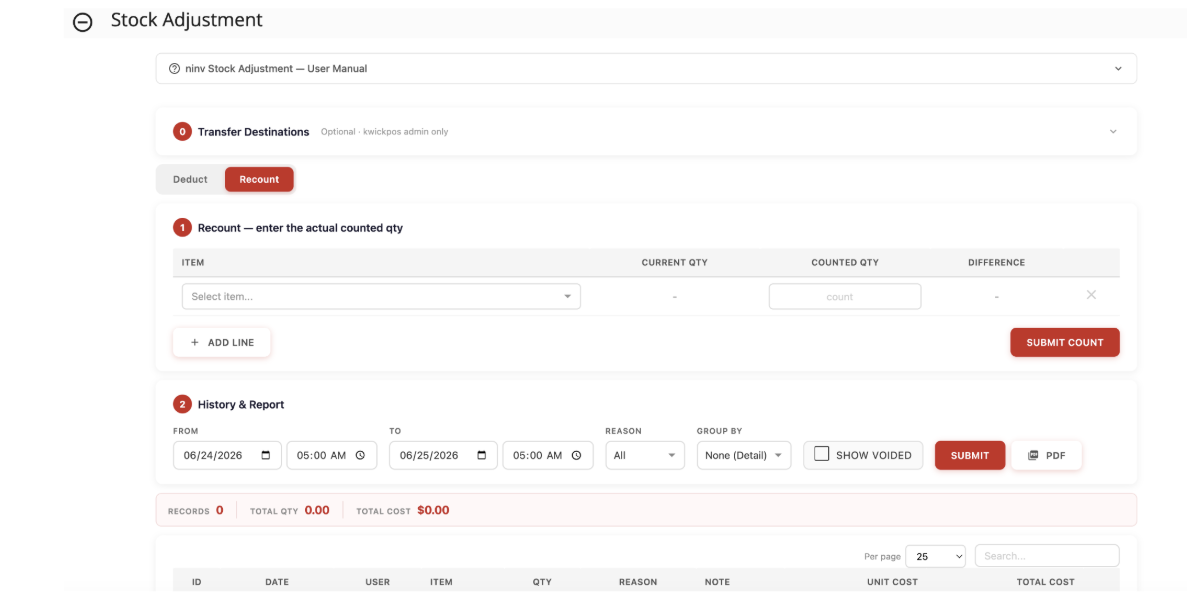
- In the new version, we added a new feature on the Stock Adjustment page to show the item quantity, counted quantity, and difference, allowing merchants to quickly adjust inventory. Configure in: Back Office > Inventory > Stock Adjustment > Recount.
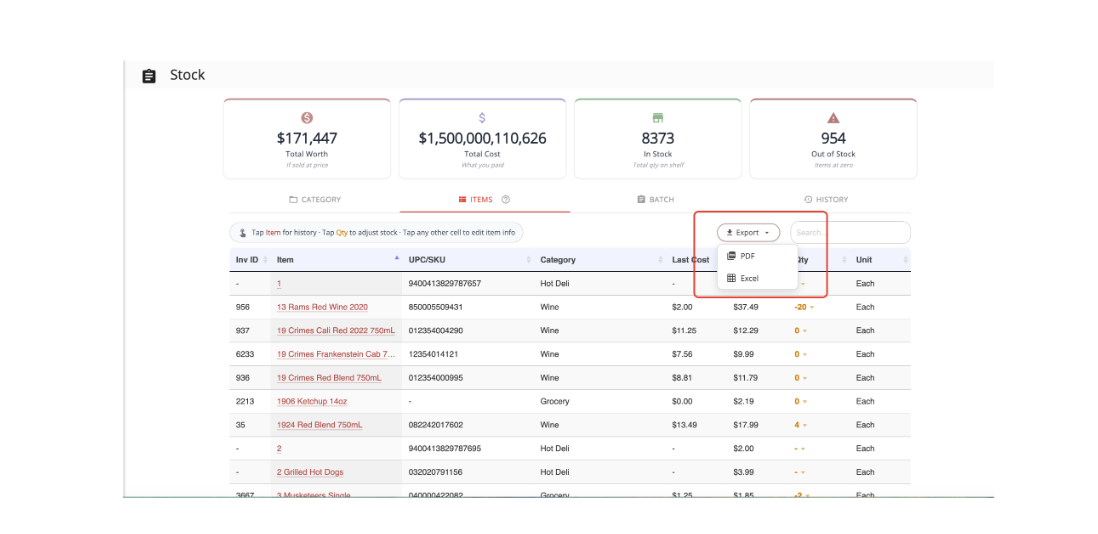
- In the new version, the Inventory Stock page supports exporting item data in PDF or Excel format.
Online:
KwickMenu.com:
- In the new version, the gratuity surcharge setting will also apply to KwickMenu orders.
- In the new version, online future orders will be scheduled based on the store’s time zone.[Ticket #313302]
- In the previous version, when placing an Online Future Order for the next day, items with time-based availability (e.g., breakfast items) might not appear on the menu even if they would be available at the scheduled order time. This issue has been fixed in the new version. Items are now displayed based on the scheduled future order time. [Ticket #312663]
Other:
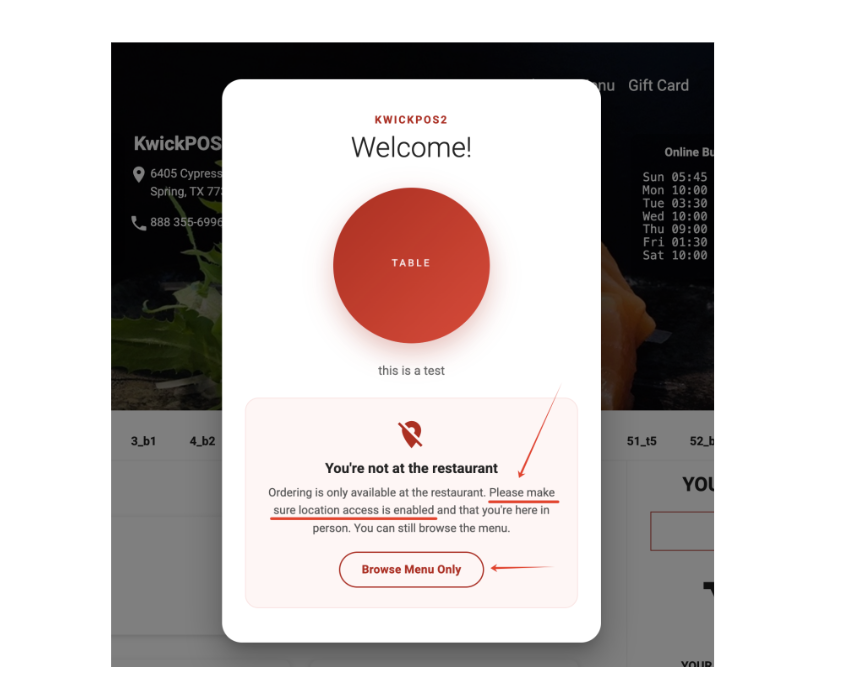
- QR Table – Location Detection Update: Added a prompt reminding customers to enable location services on their mobile device when using QR table location detection. [Ticket #306155]
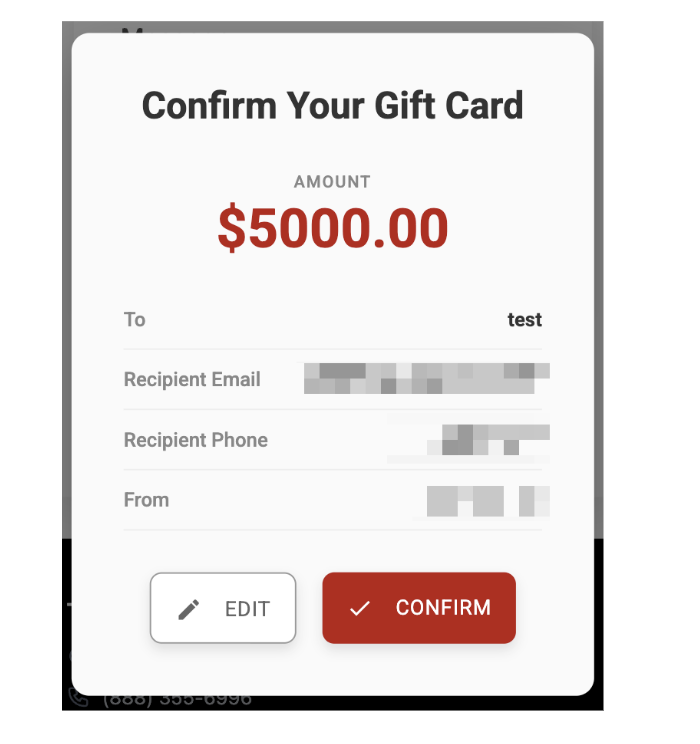
- In the new online version, when purchasing an e-gift card, a confirmation window will always pop up.
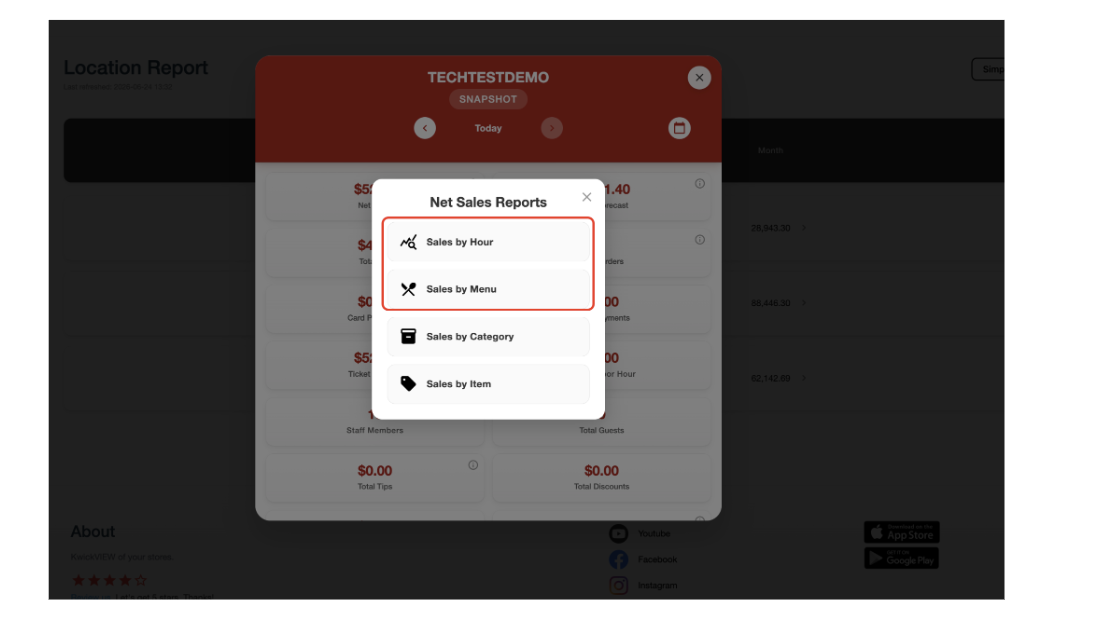
- In the new version, Sales by Menu and Hourly Sales were added to KwickView.
Still need a hand?
Our 24/7 support team can walk you through it.
Call (888) 355-6996