
Waiting List/Reservation
Online Ordering & Marketing- Waiting List: Can be used to manage Waiting List/Reservation
- Enable Waiting:
- Tools->Back Office->Advanced->System->General->Waiting Tool->Both, Yes or No
- Once a party has been added, you can notify them by sending a text message
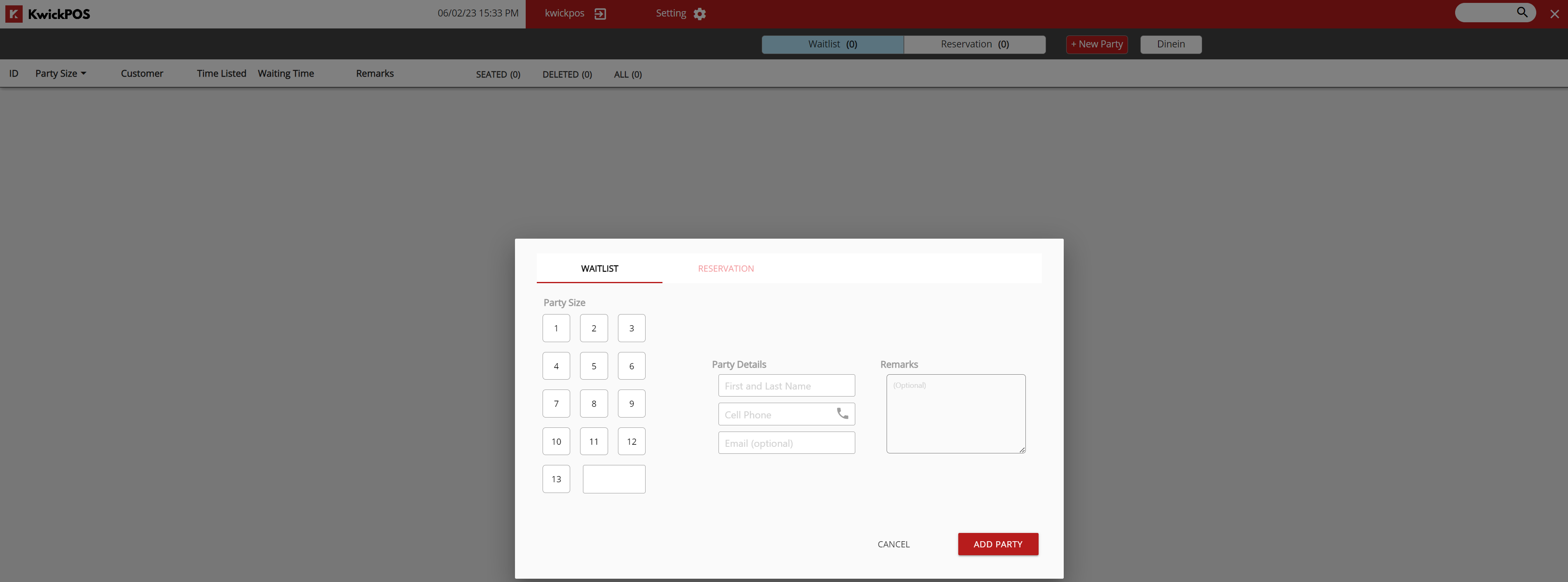
- Waitlist:
- Party Size
- Party Details
- Remarks
- Add Party
Reservation
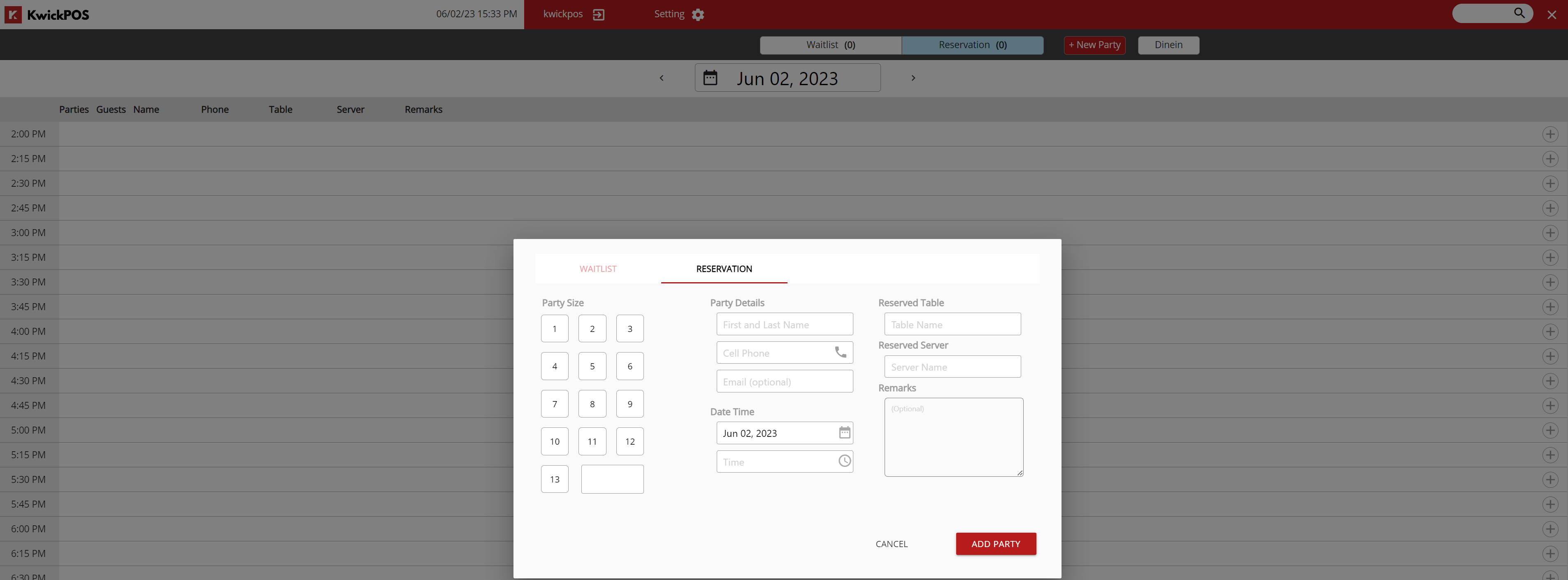
- Reservation: Can be used to reserve tables for future guests
- Once a party has been added, you can notify them by sending a text message
- Party Size
- Party Details
- Date/Time
- Reserved Table
- Reserved Server
- Remarks
- Add Party
Still need a hand?
Our 24/7 support team can walk you through it.
Call (888) 355-6996