
Release Notes 08/19/2026
Release NotesPOS:
Orders:
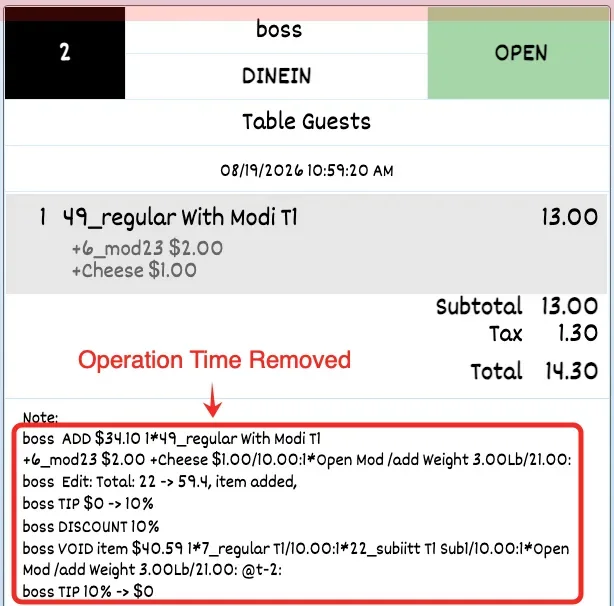
- In the new version, a setting has been added to hide the time displayed in Order Notes on the ticket page. Configure it at Setup > Order > Misc > Hide Time in Order MISC on Ticket Page.
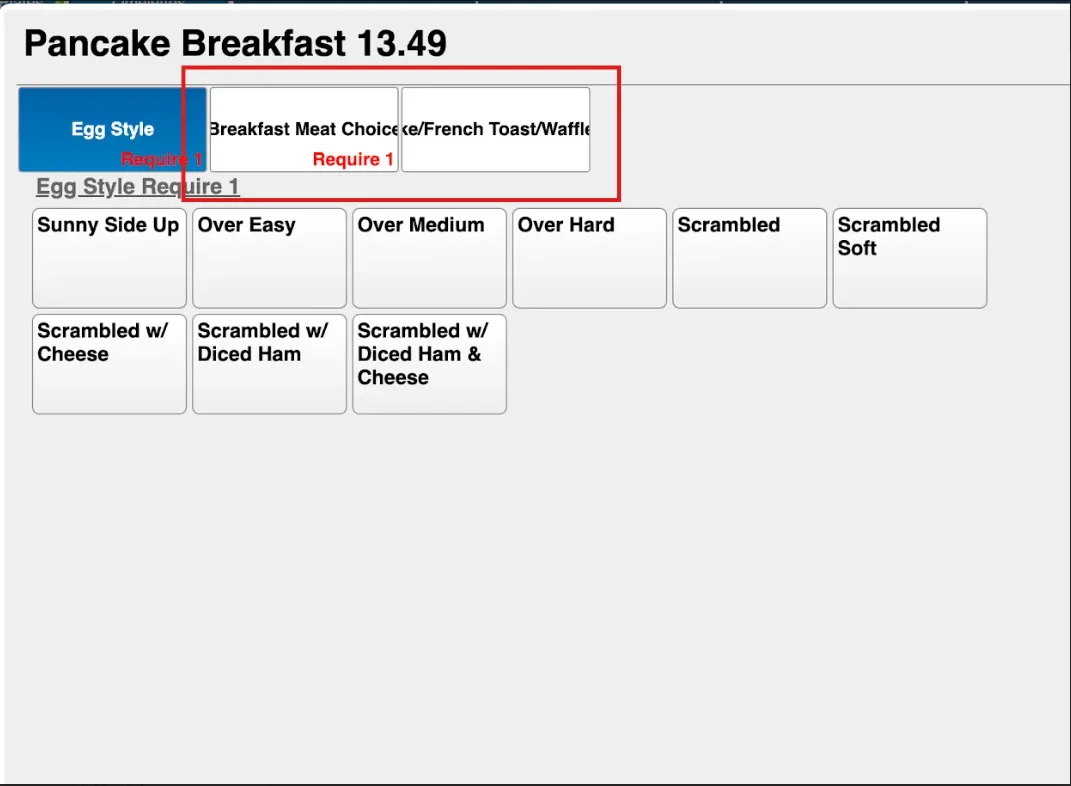
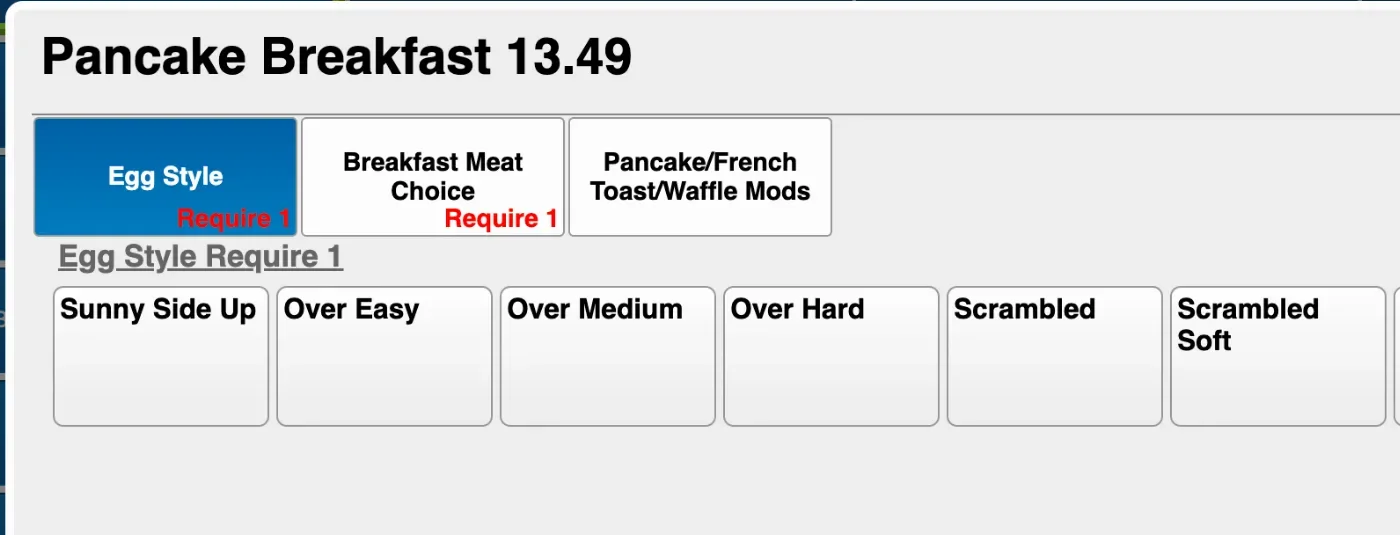
- In the previous version, long modifier names could be cut off or overflow outside the modifier box. This has been improved, and modifier names will now automatically fit within the box.[337803]
Other:
- In the new version, we added a setting to unstack overlapping reservations. This can be configured in Apps > Salon Setting > Display > Stack Overlapping Reservations.
- In the new version, we added an option to allow merchants to manually assign technicians during customer check-in by limiting the assignment to Anyone Available. We also added an option to require the customer's name during check-in. These settings can be configured in Apps > Salon Setting > Reservation > Customer Check In Staff / Require Customer Name. [Ticket #336509]
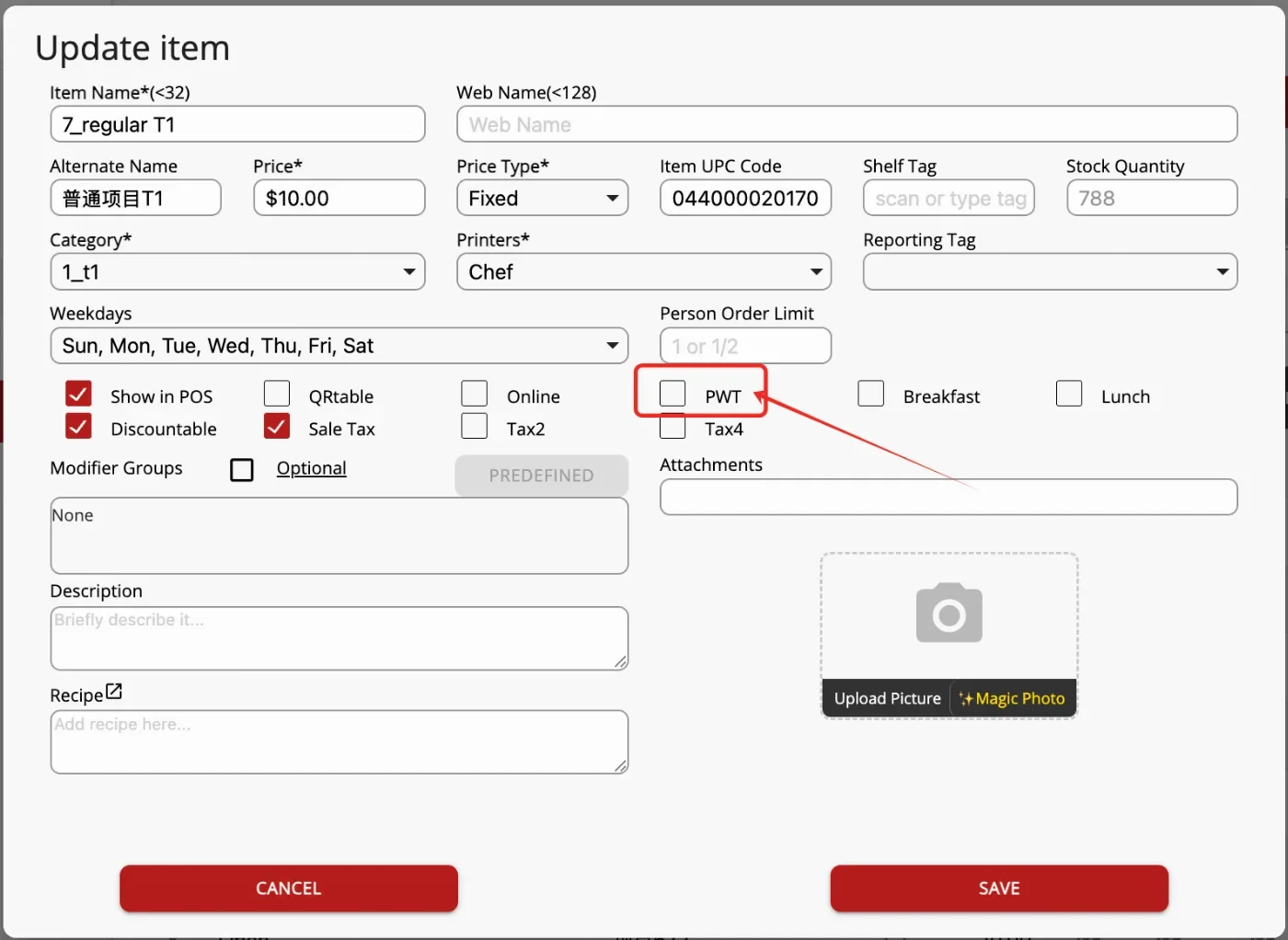
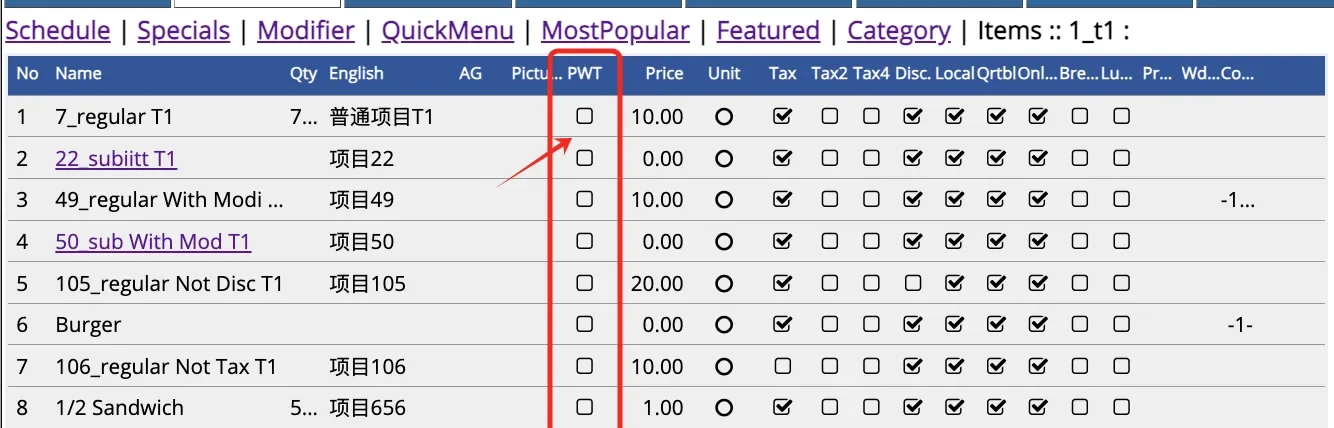
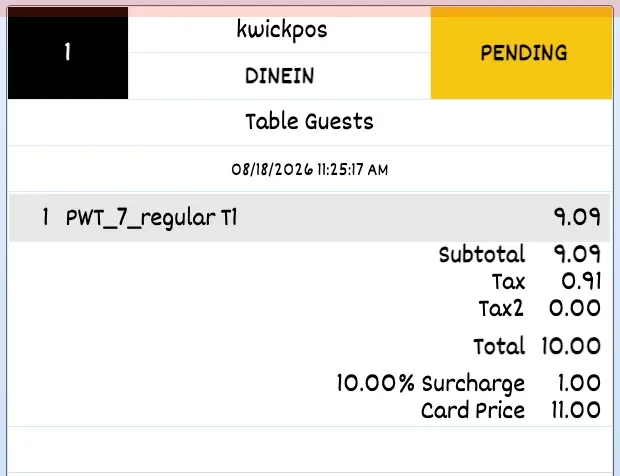
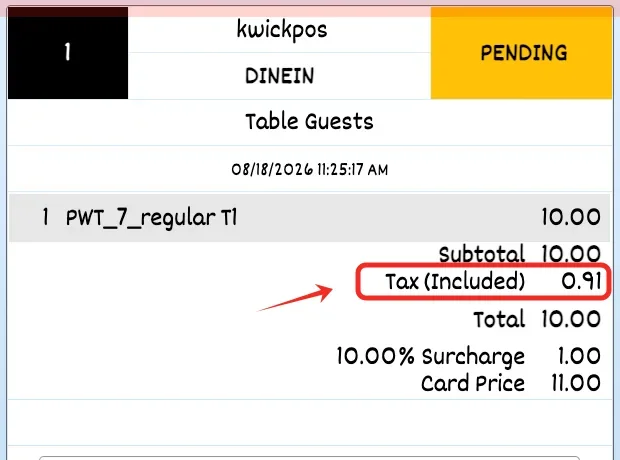
- In the new version, Price With Tax has been redone so menu prices can include tax when enabled. This feature can be configured under Setup > Taxes & Fees > Enable Price With Tax. After enabling it, users must also enable the PWT option for each menu item. Receipts can show tax in two ways: item prices can display without tax, or item prices can display with tax while showing the included tax separately. This receipt display option can be configured under Setup > Taxes & Fees > PWT Receipt Shows Net Price + Tax.
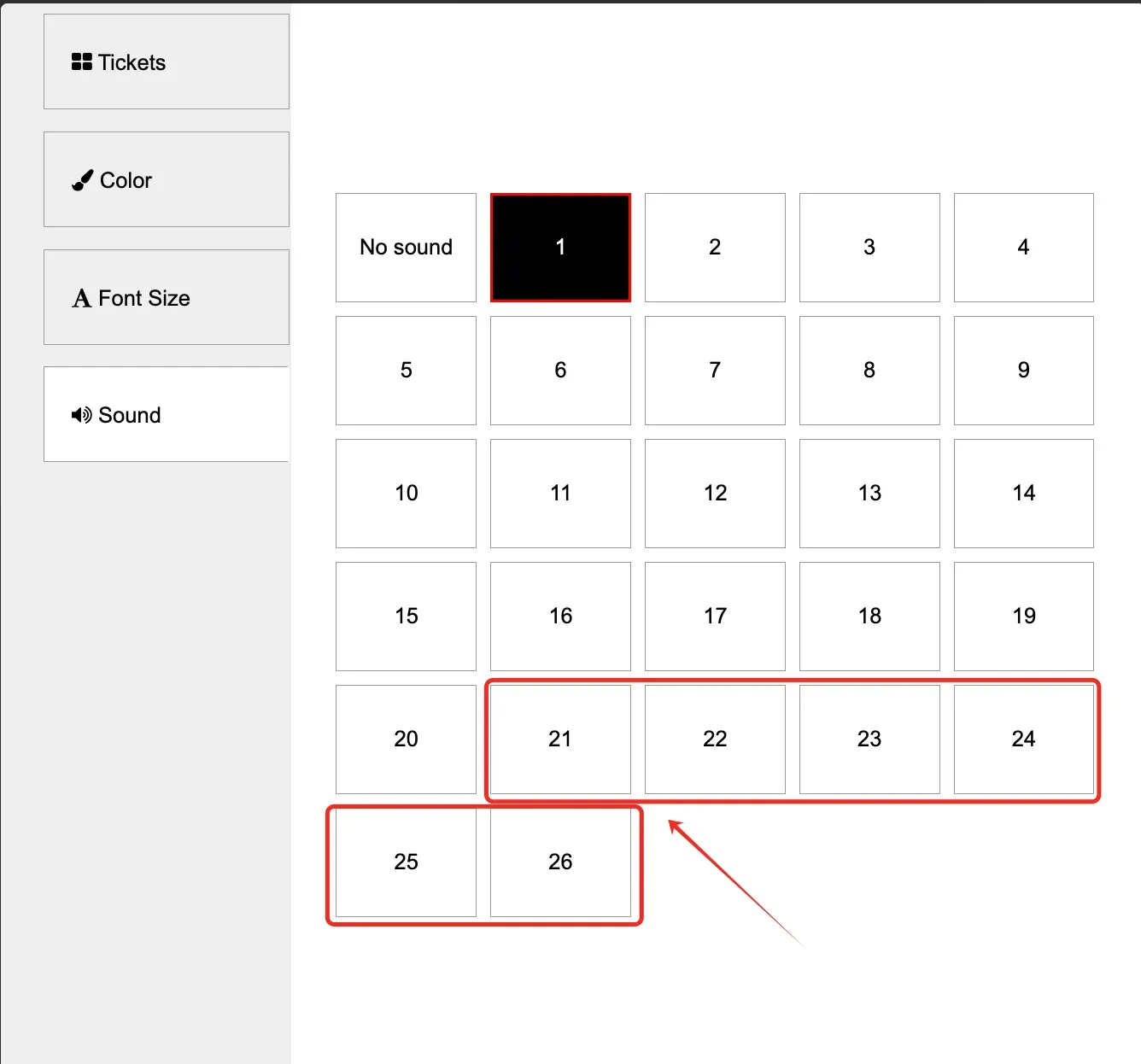
- In the new version, 6 new sound options have been added for the KDS, allowing merchants to customize the notification sound. [Ticket #338256]
- In the previous version, the Salon Reservation screen did not automatically scroll to the current time, requiring users to manually scroll to view later appointments. This has been improved, and the screen will now automatically scroll to the current time. [Ticket #341485]
- In the new version, we allow multiple services in one reservation to be assigned to different employees separately. When this switch is enabled, the employee assignment should also auto-fill for each service. Configure it at: App > Salon Setting > Reservation > Multi Tech Service Assignment.
Online:
KwickMenu.com:
- In the previous version, email receipts were not being sent to customers after checkout when using the TRX payment gateway. This issue has been fixed in the new version.
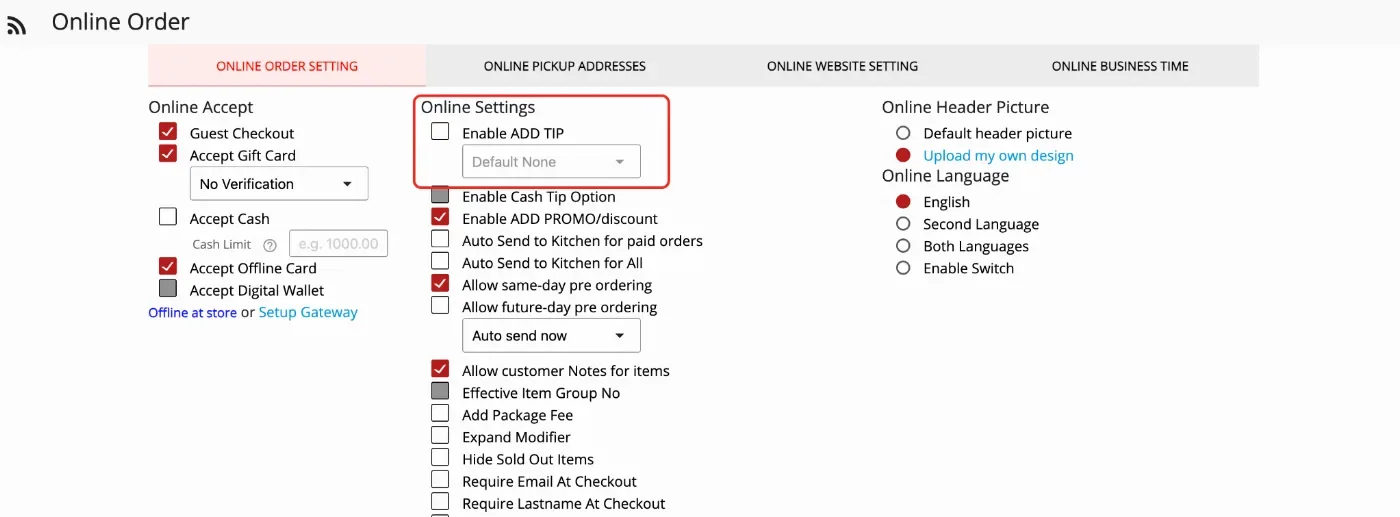
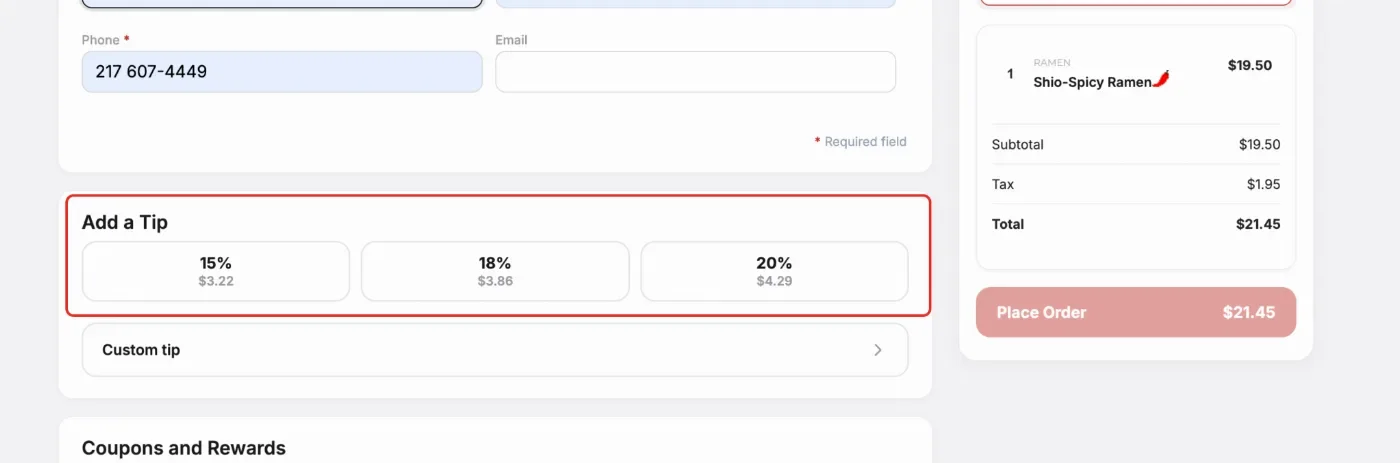
- In the previous version, after disabling Enable ADD TIP for the online ordering page, the Add a Tip section could still appear during checkout. This has been fixed in the new version. Configure at: App > Online Order > Online Order Setting > Enable ADD TIP.
Still need a hand?
Our 24/7 support team can walk you through it.
Call (888) 355-6996