POS Reseller Partner Program in Queens New York
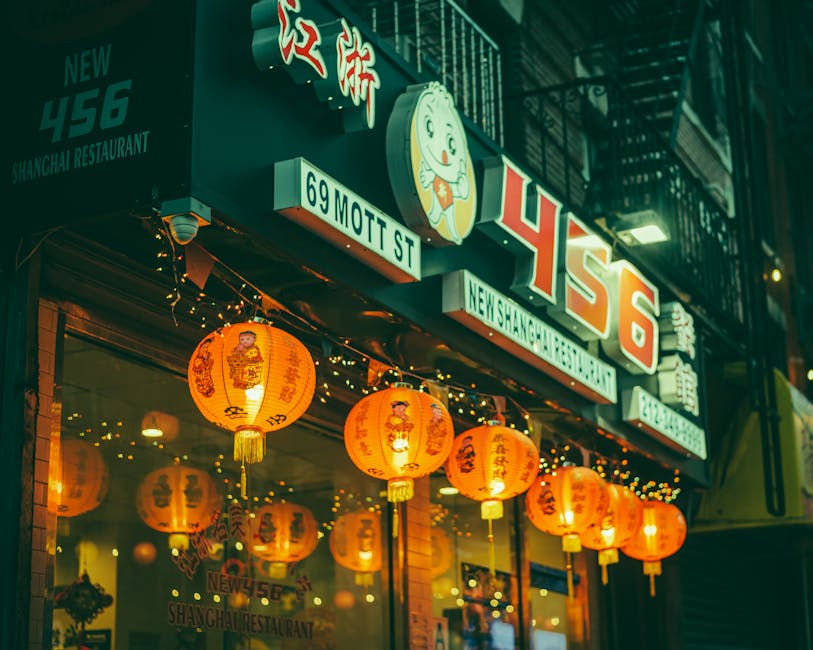
Serving Up Success: KwickPOS for Queens, New York Restaurants
Queens, New York. A borough of neighborhoods, each with its own distinct flavor – literally and figuratively. From the aromatic spice shops of Jackson Heights to the bustling seafood restaurants of City Island, and the late-night eats in Astoria, the culinary landscape of Queens is as diverse as its population. We at KwickPOS understand the unique challenges and opportunities that Queens restaurant owners face, from navigating the competitive market to serving a clientele that demands both authenticity and efficiency. Whether you're running a cozy mom-and-pop shop in Woodside or a high-volume eatery in Long Island City, your POS system should be a partner in your success, not a hindrance. We’re here to provide that partnership.
The food scene here is affected by more than just taste, too. The weather in Queens is a real factor. Summertime brings crowds and outdoor dining, meaning you need to be able to handle the rush, and our Online Ordering system can help with that. Winter blizzards can drastically reduce foot traffic, making reliable online ordering and delivery crucial for survival. We've designed KwickPOS with these Queens-specific realities in mind.
KwickPOS: Built for Queens Restaurants
What sets KwickPOS apart from other POS systems in the crowded marketplace? We focus on features that directly address the needs of Queens restaurants:
1. Uninterrupted Service with Offline Mode
Queens knows all too well the unpredictability of New York City infrastructure. Power outages and internet disruptions can cripple a business, especially during peak hours. Think of a busy Saturday night at a popular Thai restaurant in Elmhurst when the power flickers. Imagine the chaos of losing all your order information and payment processing capabilities.
With KwickPOS's offline mode, you can continue taking orders, processing payments (when possible with offline payment processing), and managing your kitchen even when the internet goes down. All data is automatically synced back to the cloud once the connection is restored. This ensures minimal disruption to your service and prevents lost revenue. A dependable system is a necessity, not a luxury. This feature is crucial for restaurants in areas prone to storms or infrastructure challenges, like those near the coast.
2. Bilingual Interface for a Diverse Workforce
Queens is one of the most diverse urban areas in the world. Many restaurants rely on a multilingual workforce, and effective communication is key to efficient operations. Our bilingual interface supports both English and Spanish, allowing your staff to seamlessly transition between languages.
Imagine a new employee at a bustling Latin American eatery in Corona being able to comfortably navigate the POS system in their native Spanish. This reduces training time, minimizes errors, and improves overall staff morale. Beyond Spanish, KwickPOS allows you to customize language options, so you can cater to the specific needs of your staff.
3. Processor Independence for Maximum Flexibility
Many POS systems lock you into using their preferred payment processor, often with high transaction fees and limited choices. KwickPOS believes in giving you the freedom to choose the processor that best suits your business needs.
Perhaps you have an existing relationship with a local bank in Astoria or have found a processor with particularly competitive rates. With KwickPOS, you can integrate with a variety of payment processors, giving you the power to negotiate better rates and save money. This flexibility is especially important for restaurants operating on tight margins. We want to ensure you have the ability to choose the right partner for your business.
KwickPOS vs. The Competition: A Transparent Comparison
We believe in honesty and transparency. Here's a candid comparison of KwickPOS with some of the other popular POS systems used in Queens:
| Feature | KwickPOS | Toast | Square | Clover |
|---|---|---|---|---|
| Offline Mode | Yes | Limited (Higher Tiers) | No | Limited (Some Apps) |
| Bilingual Interface | Yes | Limited | No | Limited |
| Processor Independence | Yes | No | Limited | Limited |
| Pricing | Competitive, Transparent | Can be Expensive, Complex Tiers | Simple, but Transaction Fees Can Add Up | Varies by Provider, Can Be Pricey |
| Hardware | Flexible, Compatible with Various Devices | Proprietary, Can Be Expensive | Limited Options | Limited Options |
| Ease of Use | Intuitive, User-Friendly | User-Friendly | Very Simple | User-Friendly |
| Customer Support | Responsive, Personalized | Can Be Slow, Complex | Limited, Mostly Online | Varies by Provider |
| Strengths | Flexibility, Customization, Offline Functionality | Feature-Rich, Well-Established | Simplicity, Mobile Payments | Wide Range of Apps, Integrations |
| Weaknesses | Newer to Market Compared to Competitors | Can Be Expensive, Processor Lock-In | Limited Functionality for Complex Operations | Processor Dependence, Can Be Pricey |
While Toast and Square are well-known, they may not always be the best fit for every Queens restaurant. Toast's processor lock-in can limit your financial flexibility, while Square's limited functionality may not be sufficient for larger, more complex operations. KwickPOS offers a balance of features, flexibility, and affordability.
KwickPOS Might Not Be Right For You If...
We're not trying to sell KwickPOS to everyone. We want to make sure it's the right fit for your business. Here are a few situations where KwickPOS might not be the best choice:
- You need a highly specialized system for a very specific niche. If you're running a highly specialized operation with unique requirements that require a niche system, KwickPOS might not have all the pre-built functionalities you need out of the box.
- You are a very small operation and require only bare-bones functionality. If you only need the absolute basic features and are comfortable with extremely limited functionality, a simpler, free solution might suffice. However, keep in mind that these solutions often come with limitations and hidden costs.
- You prioritize brand recognition above all else. If you're solely focused on choosing a POS system based on its brand name recognition, even if it doesn't perfectly fit your needs, you might be better off with a more established brand. However, we encourage you to consider the actual features and benefits over brand popularity.
- You have a complex franchise operation with rigid requirements dictated by the franchisor. Franchises often have specific POS system requirements that must be followed, regardless of individual preferences.
Serving the Heart of Queens: Our Local Neighborhoods
We are proud to serve the diverse neighborhoods that make Queens so special. Here are just a few of the areas where we're helping restaurants thrive:
- Astoria: From traditional Greek tavernas to trendy gastropubs, Astoria's vibrant dining scene demands a POS system that can handle high volume and diverse menus. We are helping popular places in Astoria like Tomo Japanese Cafe provide better service.
- Jackson Heights: The epicenter of South Asian cuisine in NYC, Jackson Heights requires a POS system that supports multiple languages and can efficiently manage complex orders with numerous modifications.
- Flushing: Home to one of the largest Chinatowns in the world, Flushing's bustling restaurants need a POS system that can handle high transaction volumes and integrate seamlessly with popular delivery platforms. We are helping restaurants like Yummy Lu Zhi and Wai Po Ren Jia streamline their operations.
- Long Island City: With its growing population and trendy restaurants, Long Island City demands a POS system that is both modern and efficient.
- Elmhurst: A melting pot of cultures and cuisines, Elmhurst restaurants need a POS system that can handle diverse menus and cater to a multilingual clientele.
- Rego Park: From classic diners to international eateries, Rego Park's diverse culinary scene requires a flexible and adaptable POS system.
- Forest Hills: Upscale dining and neighborhood favorites thrive in Forest Hills, requiring a POS system that offers both sophistication and reliability.
KwickPOS Feature Highlights
Here's a glimpse of what KwickPOS can do for your Queens restaurant:
- Order Management: Easily take orders, modify items, and split bills.
- Table Management: Efficiently manage tables, track seating, and optimize restaurant flow.
- Inventory Management: Track inventory levels, receive alerts for low stock, and minimize waste.
- Employee Management: Manage employee schedules, track hours worked, and control access permissions.
- Reporting & Analytics: Gain valuable insights into your sales, customer behavior, and operational efficiency.
- Customer Relationship Management (CRM): Build customer profiles, track preferences, and personalize marketing efforts.
- Kitchen Display System (KDS): Streamline kitchen operations, improve order accuracy, and reduce wait times.
- Online Ordering: Enable customers to order online for pickup or delivery, expanding your reach and increasing revenue.
- KwickMenu: Digital menu solution.
- Self-Ordering Kiosk: Reduce lines, increase order accuracy, and empower customers to order at their own pace.
- Loyalty Program: Reward loyal customers, encourage repeat business, and build lasting relationships.
- Gift Cards: Increase sales, attract new customers, and provide a convenient gifting option.
- Payment Processing: Securely process credit card payments, cash transactions, and mobile payments.
- Integration with Third-Party Apps: Connect with popular accounting, delivery, and marketing platforms.
- KwickOS platform: Unified platform for all your business needs.
- Cloud-Based: Access your data from anywhere, anytime, with secure cloud storage.
Getting Started with KwickPOS in Queens
Ready to transform your Queens restaurant with KwickPOS? Here's how to get started:
- Request Demo: Schedule a personalized demo with one of our POS specialists. We'll walk you through the system, answer your questions, and show you how KwickPOS can address your specific needs.
- Choose Your Hardware: Select the hardware that best suits your restaurant's layout and operations. We offer a variety of options, including tablets, terminals, and printers.
- Customize Your System: Configure your menu, set up your staff accounts, and customize the system to match your restaurant's branding.
- Training & Support: We provide comprehensive training and ongoing support to ensure you and your staff are comfortable using KwickPOS.
Beyond POS: Smart Features Transforming Queens New York Chinese Restaurants
Third-Party Platform Integration — One Screen to Rule Them All
DoorDash tablet. Uber Eats tablet. Grubhub tablet. Your own POS. That's four screens beeping at once during rush hour — recipe for chaos. KwickPOS consolidates all third-party platform orders into a single POS interface. DoorDash orders, Uber Eats orders, KwickMenu orders, phone orders, dine-in orders — all in one unified queue. Kitchen sees one KDS screen, sorted by time and priority. No more jumping between tablets, no more missed orders. End-of-month reconciliation? One report covers all channels — revenue, commissions, and fees broken down clearly.
Advanced Loyalty & Points System
Way beyond "spend $1, earn 1 point." KwickPOS lets you design sophisticated loyalty programs: Double Points Tuesday (drive slow-day traffic), 3x points on new menu items (encourage trial), 5x points on birthdays (build emotional connection), 500 bonus points for referring a friend (word-of-mouth growth). Points redeem for dishes, discounts, cash credit, or gift cards — your choice. Automatic tier upgrades — Regular → Silver → Gold → Diamond — with escalating perks. Data shows loyalty members spend 20-30% more per visit and return 2x more often.
AI Phone Answering — Never Miss a Takeout Call
During peak hours, your phone rings off the hook. One line is busy? That's a lost order. KwickPOS's AI phone system answers takeout calls automatically with a natural-sounding voice assistant — in English or Chinese. It confirms dishes, quantities, delivery address, and payment method, then generates the order directly in your POS and kitchen queue. No hold times, no miscommunication, no missed calls. Available 24/7. Many restaurants lose 10-15% of phone orders during peak hours due to busy lines — AI phone answering recovers that revenue instantly.
Consumables & Supplies Management
Beyond food ingredients, restaurants consume hundreds of dollars monthly in packaging, bags, chopsticks, napkins, receipt paper, cleaning supplies. KwickPOS tracks consumable inventory alongside food inventory — set reorder alerts, link to suppliers, and auto-estimate consumption rates based on order volume. Many restaurants save 15-20% on supply costs just by having visibility and comparison shopping through the system.
Video Surveillance Integration
Your security cameras and POS system finally talk to each other. Every POS transaction is automatically linked to the corresponding surveillance footage. Suspicious refund? Click to see the video from that exact moment. Suspect employee theft or unauthorized discounts? Pull up the transaction and the video side by side. Anomalies like frequent refunds or large voids are auto-flagged with saved video clips. Review everything from your phone — your third eye when you're not in the restaurant.
Supplier Management — Control Your Supply Chain
Most restaurants juggle 10-15 suppliers — produce, meat, seafood, dry goods, beverages, supplies. Whose prices went up? Who shorted your last delivery? How much did you spend with each supplier this month? KwickPOS centralizes all supplier data: contact info, order history, price tracking, payment records. One-click price comparison across suppliers for any ingredient. Track on-time delivery rates and quality records. Combined with auto-purchasing, the entire procurement cycle goes digital.
Biometric Security — Fingerprint & Facial Recognition
Eliminate buddy punching and unauthorized access. KwickPOS supports fingerprint and facial recognition for employee clock-in/out and POS permission control. Only the owner's face unlocks refund functions. Only the manager's fingerprint authorizes discounts above 20%. Cashiers can only access day-to-day operations. No passwords to remember, share, or steal. Every transaction logs who did what and when — complete audit trail. For restaurants with high staff turnover, biometric security is the most reliable way to protect your business.
Digital TV Menu Boards — Every Screen Sells for You
Replace static paper menus and basic menu boards with dynamic digital displays. KwickPOS's TV menu system showcases stunning food imagery, real-time pricing, and promotional highlights on your restaurant's screens. Content switches automatically — lunch combos during the day, dinner specials in the evening, happy hour drinks at 5 PM. Update prices or menu items from the back office and every screen updates instantly. The system even integrates with your POS data: overstocked items get promoted more heavily, items running low quietly fade from the display.
Frequently Asked Questions for Queens Restaurant Owners
Here are some common questions we hear from Queens restaurant owners:
Q: How does KwickPOS handle the frequent power outages in some parts of Queens?
A: Our offline mode allows you to continue taking orders and processing payments (where possible) even when the internet or power goes down. All data is automatically synced when the connection is restored. This is crucial for areas that experience frequent outages, like those along the coast or older neighborhoods.
Q: My staff speaks multiple languages. Does KwickPOS support a bilingual interface?
A: Yes! KwickPOS offers a bilingual interface with support for English and Spanish. We also support other languages with customization. This makes it easier for your staff to use the system, regardless of their primary language. This is especially helpful in diverse neighborhoods like Jackson Heights and Elmhurst.
Q: Can I use my existing payment processor with KwickPOS?
A: In most cases, yes. We believe in giving you the freedom to choose the payment processor that best suits your needs. This can save you money and give you more control over your payment processing fees.
Q: How does KwickPOS help me manage my inventory and reduce food waste?
A: Our inventory management system allows you to track your inventory levels, receive alerts when items are running low, and identify slow-moving items. This helps you minimize waste and optimize your purchasing decisions. This is especially important for restaurants dealing with perishable ingredients, like the seafood restaurants in City Island.
Q: Do you have local support staff in Queens who can help me if I have problems with the system?
A: While we don't have physical offices in every neighborhood, we have a dedicated support team available to assist you remotely. We also partner with local Partner Program and Partner/reseller who can provide on-site support in certain areas.
Ready to see how KwickPOS can transform your Queens restaurant? Give us a call today at (888) 355-6996. We're here to help you serve up success!
Queens New York Restaurants Running KwickPOS
Yummy Lu Zhi
Queens, NY